
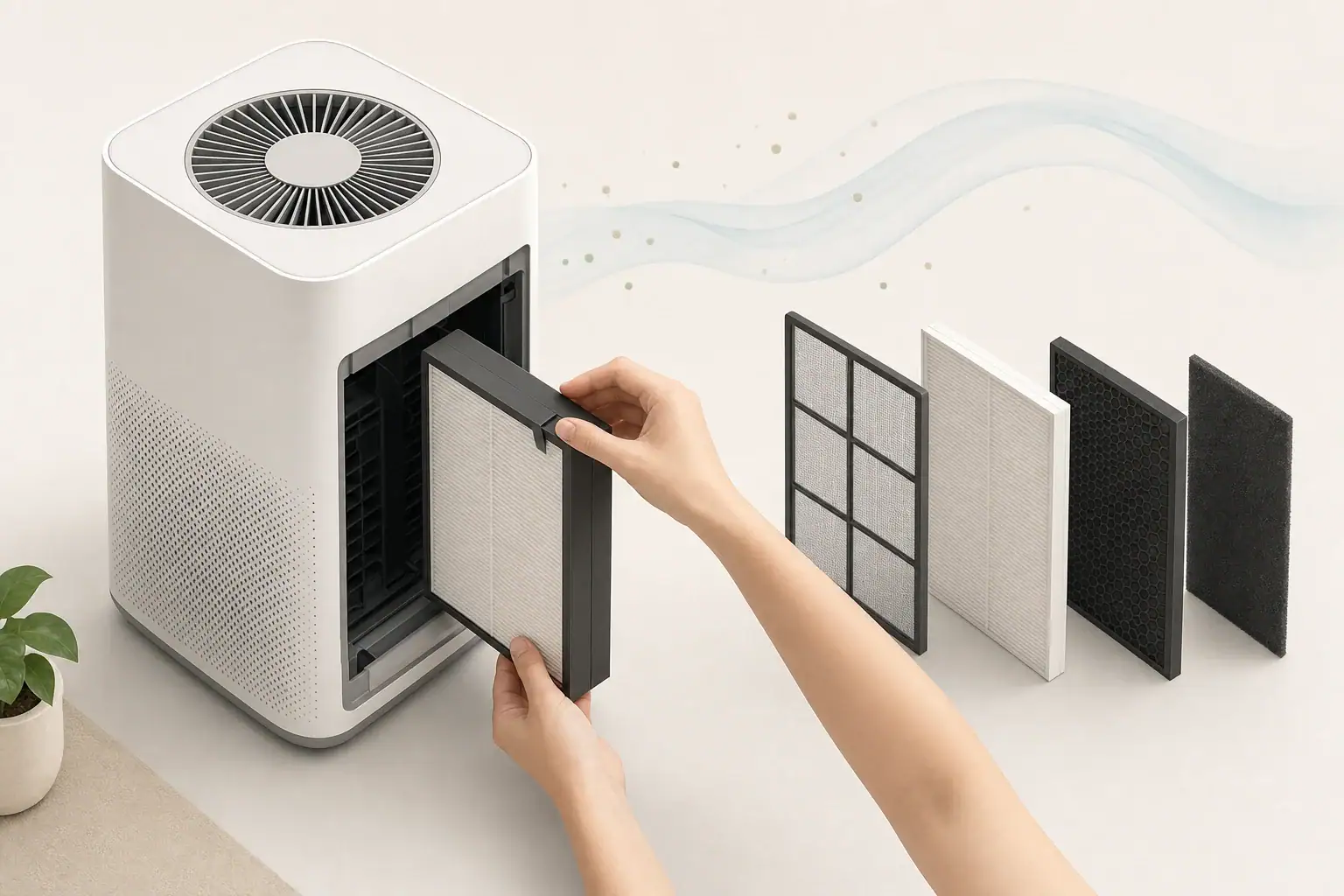
If an air purifier filter light will not reset, the usual cause is an incorrect button sequence, insufficient hold time, open filter cover, power-state requirement, or reminder that resets only after filter installation.
The light is generally a maintenance reminder rather than proof that a new filter is defective or the air is unsafe. Reset methods vary by control-panel design, so the correct sequence may require the purifier to be on, off, or in standby. Start with the least disruptive checks before assuming there is a hardware problem.
- Install the filter fully, remove all packaging, and close the cover until it sits flush.
- Hold the designated reset control continuously for about 3–10 seconds; a quick tap often does not work.
- Try the sequence in both standby and powered-on states if the manual is unavailable.
- After unplugging the unit, wait 30–60 seconds before reconnecting power and trying once more.
- Clean only accessible dust sensors and vents according to the manual; many filter lights are timer-based and do not use a sensor.
What the Filter Light Means
A filter indicator usually tracks estimated operating time. Once the purifier accumulates a programmed number of hours, the control board turns on a light, changes an indicator color, or displays a filter symbol.
This reminder often cannot measure how much dust is physically inside the filter. Actual filter loading varies with fan speed, operating hours, smoke, pet hair, renovation dust, placement, and prefilter maintenance. A lightly used purifier may reach its reminder with a relatively clean-looking filter, while a heavily used filter may need attention before the light appears.
Some purifiers have separate reminders for a prefilter, particle filter, and activated carbon filter. Resetting one reminder may not clear another. An air-quality sensor is also normally separate from the filter timer: it adjusts an automatic fan mode or changes a pollution indicator rather than determining filter life.
How Filter Reset Controls Differ
There is no universal reset sequence. The correct method depends on how the controls are assigned and how the purifier stores maintenance hours.
Dedicated reset button
A control labeled for the filter or reset function is typically held for several seconds. The indicator may blink, change color, or turn off when the reset is accepted.
Shared or secondary control
On compact panels, the reset function may share a button with sleep mode, fan speed, display lighting, timer settings, or a child lock. A printed symbol, small status light, or manual usually identifies the secondary function.
Power-state and cover-dependent controls
Some units accept a reset only while running. Others must be connected to power but placed in standby. A cover switch may also block the reset when the filter door is not seated. App-connected controls may require a reset in the appliance menu, on the physical panel, or both.
Example values for illustration.
| Control condition | Practical action | What to watch for |
|---|---|---|
| Dedicated filter control | Hold for 3–10 seconds | Light blinks or turns off |
| Shared control | Use the marked secondary function | Brief status-light response |
| Purifier running | Try reset at a normal fan setting | Confirmation tone or indicator change |
| Purifier in standby | Leave it plugged in but not operating | Control panel remains responsive |
| Filter cover monitored | Reseat and close the cover fully | No gap around the cover |
| Controls locked | Disable the control lock first | Lock indicator clears |
| App-based reminder | Check both app and physical controls | Filter status updates after syncing |
Common Reasons the Light Stays On
A failed reset does not automatically indicate an electrical fault. Several installation and control issues can produce the same symptom.
- The button was tapped rather than held: Long-press controls are designed to prevent accidental resets.
- The wrong filter reminder was selected: Multiple-filter systems may track particle, carbon, or prefilter maintenance separately.
- The protective wrapper remains installed: New filters are commonly sealed for storage and must be unwrapped before operation.
- The filter is reversed or not fully seated: Tabs, pull loops, frames, and airflow orientation can prevent the cover from closing correctly.
- The filter door is open: A small interlock may stop operation or prevent the control board from recognizing the installation.
- The controls are locked: Child-lock or panel-lock modes may ignore reset attempts.
- The required power state is wrong: The same button sequence may work only while running or only in standby.
- The reset was performed before replacement: Certain designs expect the filter cover to be opened and closed before accepting the command.
- Two indicators look similar: A red air-quality reading, warning light, or connectivity indicator may be mistaken for a filter reminder.
If the purifier runs normally but the light stays on, inspect the indicator carefully before repeating the reset. Changing fan speed or ventilating the room may affect an air-quality display, but it will not normally clear a maintenance timer.
Step-by-Step Filter Light Reset Checklist
1. Confirm the filter needs attention
Check the filter’s condition, operating history, and replacement guidance. Replace a disposable filter when appropriate. Wash only components explicitly described as washable; water can damage many particle and carbon filters.
2. Check the new filter installation
Unplug the purifier before opening its filter compartment. Remove packaging, follow any airflow markings, seat the filter without forcing it, and close all panels securely. Do not bend the filter frame to make it fit.
3. Restore power and unlock the panel
Reconnect the purifier directly to a suitable outlet. If a lock indicator is present, use the documented unlock sequence before attempting the reset.
4. Perform one deliberate long press
Press and hold the filter or reset control continuously. A general trial range is 3–10 seconds, but the manual’s stated timing takes priority. Avoid repeated rapid presses because they may activate a different function.
5. Try the alternate power state
If the first attempt fails and instructions are unavailable, switch between operating mode and standby, then repeat the long press once. Do not cycle through undocumented multi-button combinations.
6. Power-cycle the controls
Turn the purifier off, unplug it for 30–60 seconds, reconnect it, and retry the documented reset. This may clear a temporary control-panel state, but it does not replace the filter or erase every stored reminder.
7. Verify the result
Allow several seconds for the panel or connected app to update. Confirm that the filter indicator—not merely the display lighting—has turned off or returned to its starting status.
Model-Specific Steps Without Guessing
The safest model-specific approach is to identify the exact model number from the rating plate and use its official operating instructions. Purifiers with similar housings can use different control sequences, even within the same product family.
Search the manual’s index for terms such as filter indicator, filter life, replacement reminder, maintenance, reset, control lock, or standby. Then match the instructions to the panel you have.
Common control-panel patterns
- Single filter button: Replace the filter, restore power, and hold the filter control until the light changes.
- Fan button with a secondary reset function: Put the purifier in the specified power state and hold the shared button rather than tapping it.
- Display-menu system: Open the filter-status menu, select the replaced filter, and confirm the reset.
- Multiple filter indicators: Select or hold the control corresponding to the particle or carbon filter that was serviced.
- Connected purifier: Complete the physical installation first, then use the designated app menu if required. Allow time for synchronization.
- Cover-triggered reset: Install the filter and close the compartment firmly before pressing any controls.
If the manual specifies a sequence that differs from general guidance, follow the manual. Avoid copying button combinations from a purifier that merely looks similar.
Real-World Troubleshooting Scenarios
The new filter is installed, but the red light remains
First determine whether red denotes filter life or measured particle levels. If it is the filter reminder, check for packaging, reseat the filter, close the cover, unlock the controls, and use the documented long press. If it is an air-quality indicator, the color may change gradually as the sensor reading changes.
The light clears and immediately returns
This may mean the wrong reminder was reset, the filter door is not engaging its switch, or the reset command was not stored. Disconnect power briefly, reinstall the filter, and perform the correct sequence once. A recurring indicator after a confirmed reset may require service evaluation.
The button does not respond
Check for a control lock, wet or obstructed touch controls, and an unseated cover. Use clean, dry hands. If the entire panel is unresponsive, verify the outlet and power cord without opening the appliance.
The filter percentage differs between the panel and app
Confirm that the app is connected to the correct purifier, then allow it to synchronize. If the physical control is the required reset point, resetting only the app may not clear the appliance indicator—or the reverse may apply.
The light appeared earlier than expected
Operating hours and conditions matter more than the calendar alone. Continuous high-speed use, smoke events, heavy dust, pets, or remodeling can shorten practical filter life. A timer-based reminder may also appear on schedule regardless of visible loading.
Safety, Sensor Care, and Ongoing Maintenance
Unplug the purifier before removing covers, filters, or prefilters. Do not bypass cover switches, defeat safety interlocks, open sealed electrical compartments, or insert tools through vents. If the controls remain faulty after documented steps, stop troubleshooting at the user-serviceable level.
Clean reusable prefilters only as directed and let washable parts dry fully before reinstallation. Vacuuming a disposable HEPA-style filter can damage fibers or seals, while washing it can impair performance unless the manufacturer explicitly identifies it as washable.
If the purifier has an accessible particle-sensor inlet, clean it only with the method specified in the instructions. Dust on an optical sensor can affect automatic mode or air-quality readings, but cleaning it usually does not reset a timer-based filter light.
Ionization and UV-C functions, where present, are separate from the filter reminder. Do not modify these components or operate a purifier with covers removed. For routine use, follow applicable safety certifications and choose settings that do not intentionally generate ozone.
Recording the installation date, approximate daily runtime, and unusual dust or smoke events can make future replacement decisions more practical. Treat the reminder as one maintenance cue alongside airflow, odor control, visible loading, and the filter instructions.
Example values for illustration.
| Filter or task | General planning range | What can shorten the interval | Reminder |
|---|---|---|---|
| Washable prefilter check | Every 2–4 weeks | Pets, lint, heavy dust | Dry fully before reinstalling |
| Disposable prefilter | About 1–3 months | Continuous operation, shedding pets | Do not wash unless specified |
| Particle filter inspection | About every 3 months | Smoke, construction dust, high runtime | Follow condition and manual guidance |
| Particle filter replacement | Often 6–12 months | High fan speeds, dense particle loading | Timer may not measure actual loading |
| Carbon filter replacement | Often 3–12 months | Persistent odors, gases, high humidity | Loss of odor control can be a cue |
| Sensor-inlet inspection | Every 1–3 months | Dust near floors or fabrics | Use only the specified cleaning method |
Related guides: Air Purifier Maintenance Checklist: Filters, Sensors, and Cleaning • Filter Replacement Schedules: HEPA, Carbon, and Pre-Filters • Cleaning Air Purifier Sensors and Intakes: What Not to Do • Pre-Filter Cleaning Schedule: How Often to Vacuum or Wash the First Layer
Frequently asked questions
Why won’t my air purifier filter light reset after I changed the filter?
Make sure all protective packaging has been removed, the filter is correctly seated, and the filter cover is fully closed. Many units also require a continuous press of the filter or reset control for several seconds, rather than a quick tap. Check whether the purifier must be running or in standby for the reset to register.
How long should I hold the filter reset button on an air purifier?
Many air purifiers use a long press of approximately 3–10 seconds to reset a filter reminder. The exact timing varies by model, so the operating manual takes priority over general guidance. A blinking light, tone, or change in indicator color may confirm that the reset was accepted.
Can an open filter cover keep the filter light from resetting?
Yes. Some purifiers use a cover switch or interlock that prevents normal operation or blocks a reset when the filter compartment is not fully closed. Reseat the filter and press the cover closed evenly before trying the documented reset sequence again.
Why does the filter light come back on immediately after I reset it?
The wrong filter reminder may have been reset, the reset command may not have been stored, or the filter door may not be engaging properly. Unplug the unit briefly, check the installation, then perform the correct reset once more. If the reminder returns after a confirmed reset, consult the exact model instructions or arrange service evaluation.
Is a red light on an air purifier always a filter replacement warning?
No. A red indicator can also represent poor measured air quality, a general warning, or another appliance status depending on the control panel. Check for a filter symbol or filter-life display before attempting a reset, since changing room conditions may affect an air-quality light but not a timer-based filter reminder.
Key Takeaways
When an air purifier filter light will not reset, verify that the correct filter is installed without packaging, the cover is closed, and the controls are unlocked. Then use the documented button and power-state sequence, allowing roughly 3–10 seconds for a typical long press when general troubleshooting is necessary.
Do not confuse a filter reminder with an air-quality sensor display. Most reminders estimate operating time rather than directly measuring dirt in the filter. If the indicator returns after correct installation, a deliberate reset, and a brief power cycle, consult the exact model instructions or seek qualified service without opening or modifying the appliance.
Recommended next:
- Air Purifier Maintenance Checklist: Filters, Sensors, and Cleaning
- When to Replace Carbon Filters (And How to Tell They’re Spent)
- How to Clean and Calibrate an Air Quality Monitor
- Air Purifier Maintenance Checklist: Monthly and Seasonal Tasks
- Filter Replacement Schedules: HEPA, Carbon, and Pre-Filters
- Cleaning Air Purifier Sensors and Intakes: What Not to Do
- Clear sizing logic (room size → CADR/ACH)
- HEPA vs carbon explained for real use-cases
- Humidity + ventilation basics to reduce mold risk