
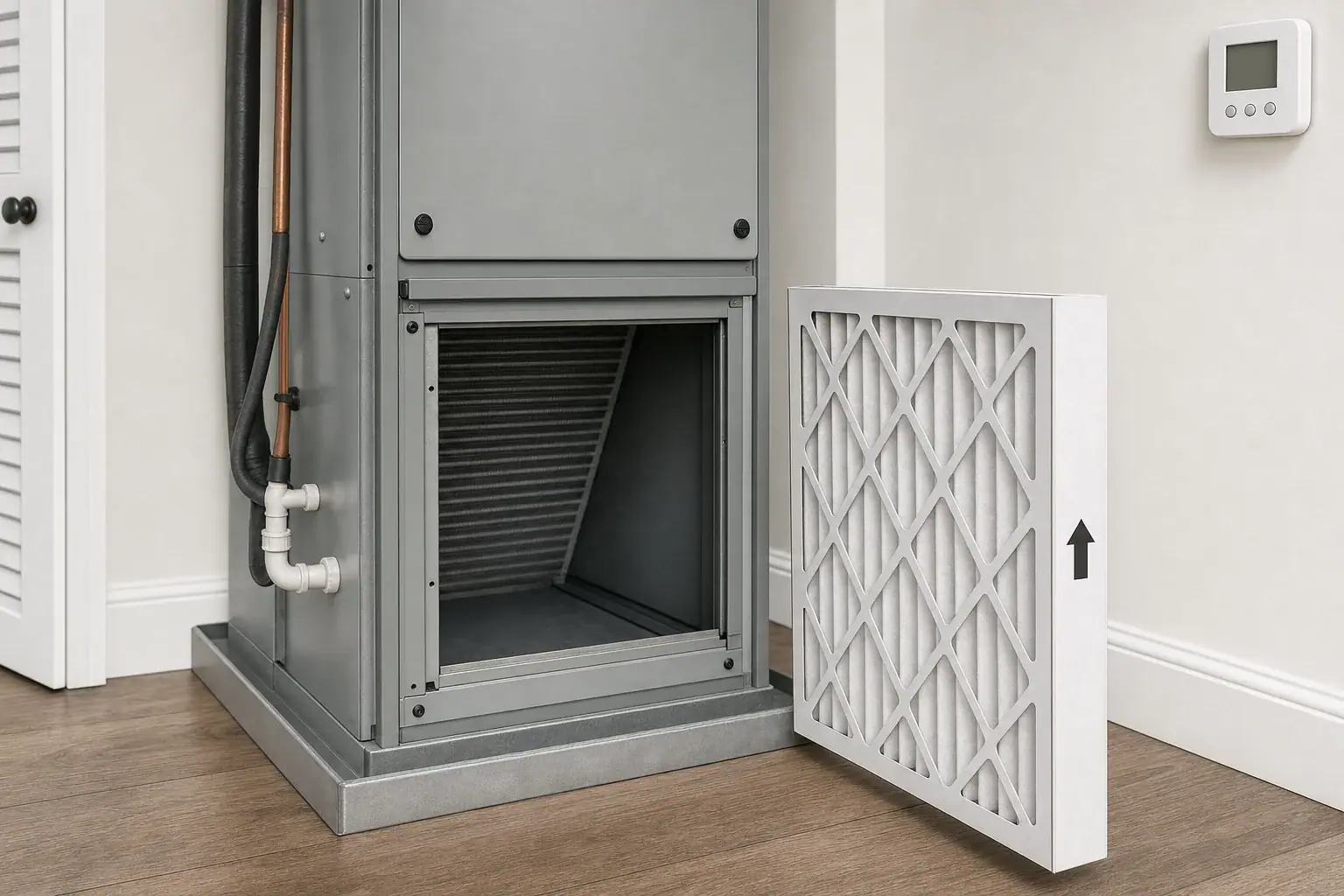
Can you run HVAC without a filter?
Some central HVAC systems will start when a filter slot is empty, but that does not mean filterless operation is intended or safe for that equipment. If the system is designed to use a filter, the conservative response is to stop intentional heating, cooling, and continuous fan operation until the specified filter is in place.
There is no universal, evidence-based number of filterless hours or days that applies to every furnace, heat pump, air handler, packaged unit, or filter cabinet. For example, Carrier’s 48VG owner’s manual tells users of the covered models never to operate without filters because dust and lint can accumulate and may affect efficiency or equipment. That instruction is model-specific, so your own equipment and filter-cabinet documentation takes priority.
Take these immediate steps
- Set the thermostat system to OFF. Stop calls for heating or cooling.
- Set the fan to AUTO or OFF. Do not leave the fan set to ON while a required filter location is empty.
- Check for another documented filter location. Look only at normal user-accessible return grilles or a documented filter cabinet. An empty slot near equipment does not always mean there is no filter.
- Identify the required filter. Use the equipment label, filter-cabinet label, owner manual, or service record rather than estimating from the opening alone.
- Install the specified filter correctly. Confirm its dimensions, permitted type, airflow direction, and that the access door or grille closes securely before restarting.
Do not fill an empty opening with towels, cardboard, loose fabric, or other improvised material. If severe heat or cold makes shutdown difficult, contact the installer, property manager, manufacturer, or an HVAC professional promptly for equipment-specific direction.
Operating mode and missing-filter risk
| System mode | What changes when a required filter is missing | Immediate response |
|---|---|---|
| System OFF | The blower is not actively carrying room air through the empty filter location. | Preferred setting while you identify the correct filter. |
| Fan ON | The blower continuously moves unfiltered air through the system’s airflow path. | Switch the fan to AUTO or OFF. |
| Cooling | The blower operates and downstream components may be exposed to airborne debris. The indoor coil is downstream of the filter in many configurations. | Stop cooling until the specified filter is installed. |
| Furnace heat | The blower and internal airflow path are active; equipment design and instructions vary. | Turn the system off and follow the furnace documentation. |
| Heat-pump heat | The indoor blower operates and the indoor coil is part of the active airflow path. | Treat it as active filterless operation and stop until corrected. |
The EPA’s Guide to Air Cleaners in the Home explains that HVAC filters work only while air moves through them. Therefore, leaving a blower on moves more air through an empty filter location than leaving the blower off. This does not establish a damage timeline for a particular system.
What may be exposed to debris?
A return-side filter captures some particles before they reach components farther along the airflow path. The U.S. Department of Energy notes that return-side filters help protect the HVAC motor while filtering circulated air. See its guidance on proper HVAC filter installation.
- Unit-mounted filter: With the filter absent, the blower and components downstream of that location may receive more dust, lint, pet hair, or renovation debris.
- Return-grille filter: Removing it allows room air and particles into the return duct as well as toward the equipment.
- Multiple-return system: A home may have filters at several grilles, a central cabinet, or both. Verify the documented arrangement before concluding that the system has no filtration.
- Supply ducts: Particles that pass through the equipment can move into the supply side, but an empty filter slot does not prove that every duct has become contaminated.
Temporary-response decision tree
- Is a filter installed elsewhere? Check documented, user-accessible return grilles and cabinets. If one is present, verify that it serves this system and matches its instructions.
- Is the required filter truly missing? Leave the thermostat system OFF and the fan on AUTO or OFF.
- Do you know the exact filter specification? If the manual or cabinet label identifies compatible dimensions and type, install a matching filter without forcing it.
- Are size, type, location, or direction uncertain? Contact the installer, landlord, manufacturer, or an HVAC technician rather than guessing.
- Was the filterless history long or unknown, or are warning signs present? Keep the system off and arrange an inspection before relying on it.
Filter and restart checklist
Power and access
- Use the thermostat to stop heating, cooling, and blower operation before handling a filter.
- Follow the owner manual’s instructions for power and access panels.
- Do not open powered or service-only compartments to search for a filter.
- Close and secure any user-accessible filter door or return grille before restarting.
Size, type, and airflow direction
- Confirm the listed nominal filter size and, when available, the actual dimensions. These can differ.
- Match the type and efficiency level allowed by the equipment or filter cabinet.
- Do not assume that the highest available MERV rating is compatible. The EPA advises using MERV 13 or the highest level the system fan and filter slot can accommodate, with professional input when needed.
- Find the airflow arrow on the filter frame and point it in the documented airflow direction—generally from the return side toward downstream equipment.
- Do not bend, crush, stack, or force a filter into an opening.
Cabinet instructions control. For example, Resideo’s media air-cleaner guide specifies return-duct placement upstream of the cooling coil and requires the cartridge arrow to follow airflow. Other systems may be arranged differently.
Visible debris and professional-service triggers
- Look at the accessible filter opening for lint, pet hair, construction dust, or loose debris. Do not reach into the blower, coil area, or electrical compartment.
- If substantial debris appears to have passed beyond the filter location, arrange an inspection rather than attempting to clean internal components through the slot.
- After installing the correct filter, stop the system and request service for a new loud or grinding noise, a burning odor, markedly weak airflow, visible ice, water leakage, repeated shutdowns, or a breaker that trips again.
If a carbon monoxide alarm sounds, do not treat it as a filter issue. Leave the area and follow the alarm instructions and the U.S. Consumer Product Safety Commission’s carbon monoxide guidance.
Related guides: How to Change an HVAC Filter: Location, Direction, and Fit · Air Purifier vs HVAC Filter: What Works Better at Home?
Frequently asked questions
Does an empty filter slot always mean the HVAC system has no filter?
No. Some systems use return-grille filters, multiple filters, or another documented location. Check only normal user-accessible locations and the equipment or filter-cabinet documentation before assuming the system is running without filtration.
Can I use a same-size filter temporarily if I do not know the specified type?
Do not assume a filter with matching face dimensions is compatible. Confirm the required actual dimensions, approved type or efficiency range, and airflow direction from the equipment documentation or a qualified provider. Do not force, stack, or improvise a filter.
What if I do not know how long the system ran without a filter?
Confirm the specified filter, install it correctly, and inspect the accessible filter area for visible debris. If the history is long or unknown, or you notice weak airflow, unusual noise or odor, ice, leaks, repeated shutdowns, or breaker trips, leave the system off and arrange an inspection.
Bottom line
If your central HVAC system is designed for a filter, do not intentionally operate it without one. Keep the system off, stop continuous fan operation, verify whether another filter location exists, and use the equipment documentation to confirm the correct fit and direction. Unknown specifications, inaccessible compartments, substantial visible debris, or abnormal operation justify professional help.
Recommended next:
- Air Purifier Maintenance Checklist: Filters, Sensors, and Cleaning
- When to Replace Carbon Filters (And How to Tell They’re Spent)
- How to Clean and Calibrate an Air Quality Monitor
- Air Purifier Maintenance Checklist: Monthly and Seasonal Tasks
- Filter Replacement Schedules: HEPA, Carbon, and Pre-Filters
- Cleaning Air Purifier Sensors and Intakes: What Not to Do
- Clear sizing logic (room size → CADR/ACH)
- HEPA vs carbon explained for real use-cases
- Humidity + ventilation basics to reduce mold risk