
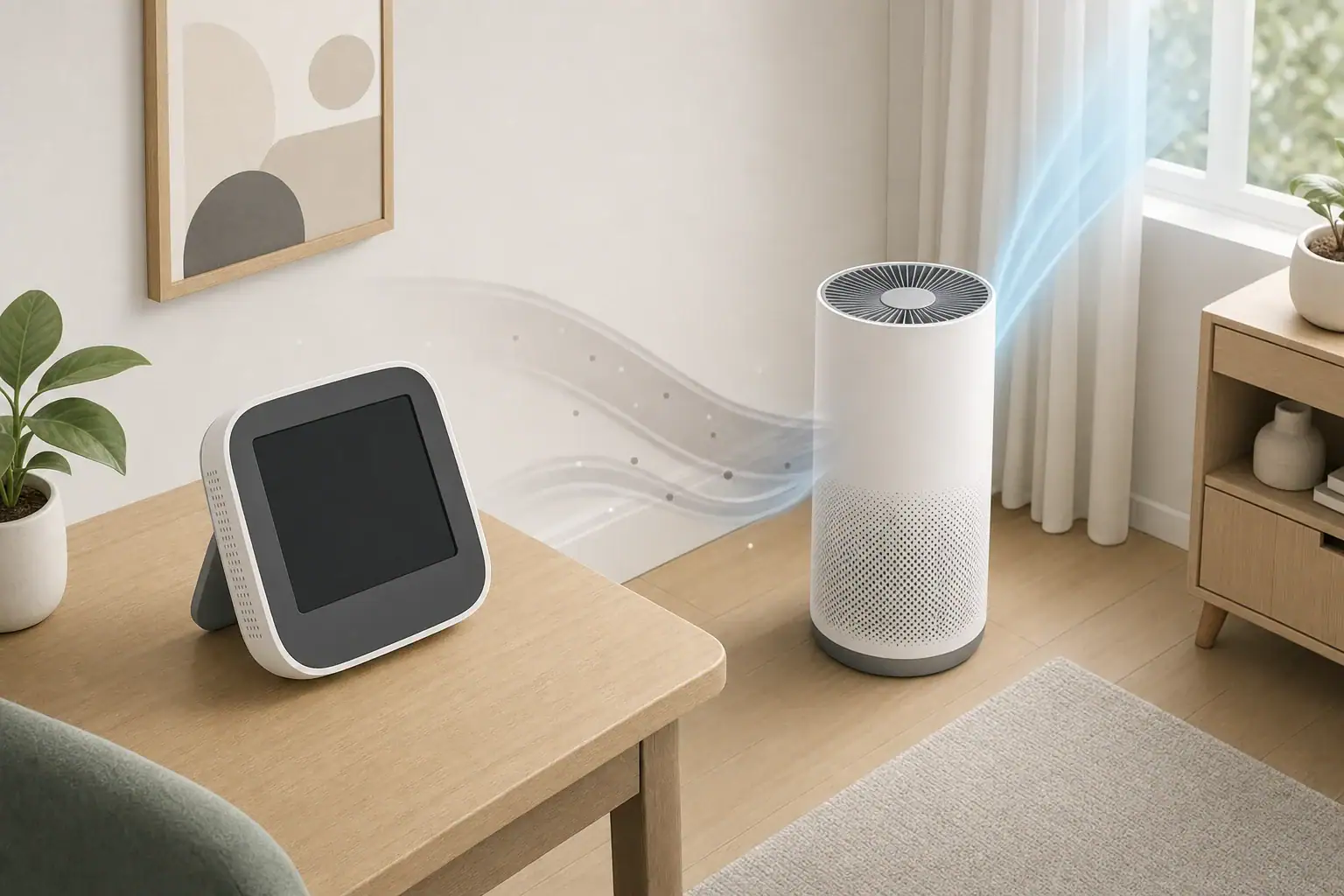
A PM2.5 monitor placed near a purifier often reports lower particle levels than the room as a whole because it samples the purifier’s concentrated stream of recently filtered air. The number may be accurate for that exact spot but unrepresentative of where people spend time. Distance, height, airflow, walls, vents, and particle sources can all change the reading.
Quick answer
- For general room monitoring, start about 3 to 6 feet from the purifier and outside its direct clean-air stream.
- Place the monitor roughly 3 to 6 feet above the floor, near the room’s occupied area rather than in a corner.
- Keep it at least 3 feet from open windows, HVAC registers, cooking areas, candles, and other strong local influences when measuring the room average.
- After moving a monitor or changing purifier speed, allow about 15 to 30 minutes for the reading to settle; use 30- to 60-minute trends for comparisons.
- Treat these distances as practical starting points, not universal standards. Room layout and airflow may require adjustment.
Why a PM2.5 Monitor Reads Lower Near a Purifier
An air purifier does not clean every part of a room at the same instant. It draws air toward its intake, passes that air through a particle filter, and releases cleaner air through an outlet. This process creates moving zones with different particle concentrations.
A monitor sitting in the outlet stream may repeatedly sample air that has just passed through the filter. Its reading can fall quickly even while more distant parts of the room still contain elevated particle levels. This is sometimes described as a clean-air bubble, although the boundary is usually irregular and changes with fan speed, furniture, doors, and room activity.
Placement beside the intake can also distort results. The monitor may sample the same particle-laden air being pulled toward the purifier, producing readings that are higher or more variable than the broader room average.
The right location depends on the question being asked. A monitor near the purifier can help confirm that the outlet air is relatively clean. A monitor across the room is more useful for checking how well filtered air mixes through the occupied space.
How Airflow and PM2.5 Sensors Shape the Numbers
Most consumer PM2.5 monitors use an optical sensor. Air passes through a sensing chamber, where light scattering is used to estimate the amount of airborne particulate matter. The result is commonly displayed in micrograms per cubic meter, written as µg/m³.
These monitors estimate particle mass rather than weighing particles directly. Readings can vary among devices because of sensor design, calibration, particle composition, humidity, airflow through the sensor, and internal averaging. A single consumer monitor is generally more useful for tracking patterns and changes than for establishing laboratory-grade accuracy.
Air mixing takes time
Purifier performance is often discussed using clean air delivery rate and air changes per hour. Higher airflow can increase the rate at which particles are removed, but the room must still mix. Alcoves, open doors, tall ceilings, furniture, and connected spaces can slow or redirect that mixing.
A monitor’s display may also average measurements over several seconds or minutes. After smoke, cooking particles, or dust enters the room, the displayed peak may appear later than the event. Likewise, the reading may continue falling after the purifier speed changes. Comparing short, isolated numbers can therefore be misleading.
| Placement factor | Practical starting point | Why it matters |
|---|---|---|
| Purifier outlet | Stay outside the direct air stream | Filtered outlet air can produce unusually low readings |
| Purifier distance | About 3 to 6 feet | Allows some mixing before air reaches the sensor |
| Monitor height | About 3 to 6 feet above the floor | Better represents much of the occupied zone |
| Walls and corners | Allow roughly 1 foot or more of clearance | Stagnant pockets may respond slowly |
| HVAC registers | Keep at least 3 feet away when possible | Supply and return airflow can dominate the reading |
| Particle sources | Use extra distance for room-average monitoring | Cooking, candles, and dust can cause local spikes |
| Settling period | Wait about 15 to 30 minutes after moving | The sensor and surrounding airflow need time to stabilize |
Common Placement Mistakes and Troubleshooting Clues
The most common mistake is placing the monitor directly on top of the purifier. Depending on the purifier design, that location may sit in the clean outlet plume. It may also expose the sensor to vibration, heat from internal electronics, or strong airflow that differs from normal room conditions.
Other common problems include:
- Monitoring in a corner: Corners and spaces behind furniture may exchange air slowly, causing delayed or persistently different readings.
- Placing the monitor beside a window: Outdoor particles can enter through an open window or leakage path, while a strong breeze may temporarily dilute indoor air.
- Using a shelf with restricted airflow: Books, walls, curtains, or decorative objects can block the sensor inlet or outlet.
- Measuring beside a kitchen: Cooking can produce sharp local PM2.5 increases that do not immediately represent the entire home.
- Comparing devices in different locations: Two monitors may disagree because they are sampling different air, not necessarily because one is defective.
- Reacting to every brief change: Walking, vacuuming, making a bed, or opening a door can temporarily alter particle levels.
If a monitor drops rapidly whenever the purifier starts but another monitor across the room changes slowly, placement is a likely explanation. If two co-located monitors show a consistent difference after several hours, sensor calibration or design may also be involved.
How to Place and Test a PM2.5 Monitor
Choose a representative location
Place the monitor in the part of the room where people commonly spend time. Use a stable table, shelf, or stand with open space around the sensor vents. Avoid direct sunlight, damp surfaces, and locations where the device could be knocked over.
For a bedroom, a dresser or open shelf several feet from the purifier can be practical. In a living room, use a central location that is not directly beside seating, a fireplace, an HVAC register, or an open window.
Run a near-and-far comparison
- Operate the purifier at a fixed speed with doors and windows in a consistent position.
- Record the monitor’s trend at least 3 feet from the purifier and outside the outlet stream.
- Move the monitor farther across the room without changing other conditions.
- Allow 15 to 30 minutes after each move, then compare trends over another 30 to 60 minutes.
- Repeat the test at the same time on another day if normal household activities disrupted the first comparison.
For a stronger test, use two monitors side by side for several hours before separating them. This reveals whether they have a consistent offset. After co-location, place one near the purifier and one in the distant occupied zone. Switching their positions later helps separate location effects from device differences.
Real-World Placement Examples
Small bedroom with one purifier
A monitor on the same nightstand as an upward-blowing purifier may show a fast decline because filtered air passes directly over it. Moving the monitor to a dresser 4 to 6 feet away usually gives a better view of room mixing. Keep both devices away from bedding or curtains that could block airflow.
Open-plan living and kitchen area
A monitor near the purifier may remain low while cooking particles spread through the connected space. A second position between the living area and kitchen can show how quickly those particles reach the occupied zone and how long they take to decline. Kitchen exhaust vented outdoors is generally the first control during cooking; a purifier can supplement particle removal but does not replace source capture.
Room with forced-air heating or cooling
An HVAC supply register can carry cleaner or more particle-laden air past the monitor depending on system filtration and operating conditions. Place the monitor several feet away from the register for a room-oriented reading. Note whether the central fan is running when comparing data because it can improve mixing or introduce particles from other areas.
In each example, the goal is not to find one perfect number. It is to use a consistent location that answers a defined question and makes day-to-day trends comparable.
Safety and Limits of PM2.5 Monitoring
A PM2.5 monitor measures fine particles; it does not provide a complete assessment of indoor air. It generally cannot detect carbon monoxide, carbon dioxide, ozone, radon, or individual gases unless the device includes separate sensors designed for those measurements. A low PM2.5 value should not be interpreted as proof that every aspect of the air is acceptable.
Some air-cleaning devices include ionization, electrostatic, plasma, or UV-C features. Particle readings alone cannot confirm whether such features generate ozone or other byproducts. When selecting equipment, look for clear safety documentation and the ability to leave optional ionizing functions off. Do not intentionally generate ozone in occupied indoor spaces.
Keep purifier intakes and outlets unobstructed, follow the appliance’s clearance instructions, and plug devices into suitable household outlets. Monitors should remain dry and should not be placed where humidifier mist can enter the sensor directly. Droplets can be counted as particles or create condensation that affects the device.
Maintenance for More Consistent Readings
Dust buildup on a monitor’s air openings can slow its response or alter airflow through the sensing chamber. Inspect the exterior periodically and follow the manufacturer’s cleaning directions. Avoid spraying cleaners or compressed propellants into the sensor unless the instructions specifically allow that method.
Purifier maintenance also changes the relationship between placement and readings. A heavily loaded filter may reduce airflow, lowering effective room circulation even if the air immediately beside the outlet still appears relatively clean. Check filters on a regular schedule and consider operating hours, particle load, smoke events, pets, and manufacturer guidance when planning replacement.
Use consistent conditions when evaluating changes. Record purifier speed, window position, HVAC operation, cooking activity, and monitor location. Long-term charts or daily averages are usually more informative than an isolated number.
| Metric | What it indicates | Common placement pitfall | Practical response |
|---|---|---|---|
| PM2.5 | Estimated fine-particle concentration | Direct purifier outlet air reads unusually low | Compare a representative location with a distant point |
| PM10 | Estimated larger inhalable particles | Nearby dust disturbance creates brief spikes | Review trends after activity settles |
| Carbon dioxide | Occupancy and ventilation indicator | Breathing directly toward the sensor raises readings | Place away from a person’s face and compare over time |
| TVOC | Broad response to some airborne organic compounds | Cleaners or fragrances cause local responses | Remove the source and increase appropriate ventilation |
| Relative humidity | Moisture level relative to temperature | Humidifier mist creates a localized high reading | Measure outside the visible mist plume |
| Temperature | Local air temperature | Sunlight, vents, or appliance heat distort results | Use a shaded location away from heat sources |
Related guides: Where to Place an Air Quality Monitor: Height, Distance, and Rooms • PM2.5 Explained: What the Numbers Mean and What’s a Safe Level Indoors • Air Purifier Dust Test: How to Track PM2.5 Before and After Changes • PM2.5 Monitor vs Air Purifier Sensor: Accuracy and Practical Use
Summary: Use Distance and Consistency
A PM2.5 monitor near a purifier can accurately describe the clean air immediately around the device while understating conditions elsewhere. For general room tracking, begin about 3 to 6 feet from the purifier, outside the direct outlet stream, and roughly 3 to 6 feet above the floor.
Keep the monitor away from windows, HVAC registers, cooking areas, humidifier mist, and obstructed corners. Allow readings to settle after moving the device, and compare 30- to 60-minute trends under similar conditions. When troubleshooting, co-locate monitors first and then test near and far positions to distinguish sensor differences from airflow effects.
Consistent placement matters more than chasing a single low reading. A stable, representative location makes it easier to understand particle sources, room mixing, purifier operation, and changes over time.
Frequently asked questions
How far should a PM2.5 monitor be from an air purifier?
For a general room reading, begin by placing the monitor about 3 to 6 feet from the purifier and outside the direct outlet airflow. This distance is a practical starting point rather than a fixed standard, because room size, purifier design, and furniture can change airflow patterns. Check whether the reading remains unusually low when the purifier fan speed changes, then adjust the location if needed.
Why does my PM2.5 monitor show very low readings next to the purifier?
A monitor beside or above a purifier may be sampling recently filtered air from the outlet stream. That low measurement can be accurate for that precise location but may not represent particle levels across the occupied area. Moving the monitor away from the outlet plume and reviewing longer trends provides a more representative room measurement.
Should a PM2.5 monitor be near the purifier intake or outlet?
Neither position is ideal when the goal is to measure the room average. Near the outlet, the monitor can read artificially low because of filtered air; near the intake, it may sample concentrated incoming particles and show higher or more variable results. Place it several feet away from both airflow zones for room-oriented tracking.
How long should I wait after moving a PM2.5 monitor?
Allow roughly 15 to 30 minutes after moving the monitor or changing the purifier speed before interpreting the result. The surrounding air needs time to mix, and many consumer sensors also use short averaging periods. For comparisons, evaluate 30- to 60-minute trends under otherwise similar conditions.
Can an HVAC vent affect a PM2.5 monitor near a purifier?
Yes. A supply or return register can create a local air stream that changes the monitor reading independently of the purifier, especially while the central fan is running. Keep the monitor at least several feet from HVAC registers when possible and note HVAC operation when comparing data from different times.
Recommended next:
- Indoor Air Quality Monitors: What to Measure (PM2.5, CO2, VOCs, Humidity)
- CO2 Monitors for Homes: What Good Numbers Look Like and Why They Matter
- VOC Sensors Explained: Why Readings Vary and How to Use Them Safely
- Where to Place an Air Quality Monitor: Height, Distance, and Rooms
- PM2.5 Sensor Accuracy: Why Readings Differ Between Devices
- CO2 Monitor Buying Guide: What to Look For (NDIR vs “eCO2”)
- Clear sizing logic (room size → CADR/ACH)
- HEPA vs carbon explained for real use-cases
- Humidity + ventilation basics to reduce mold risk