
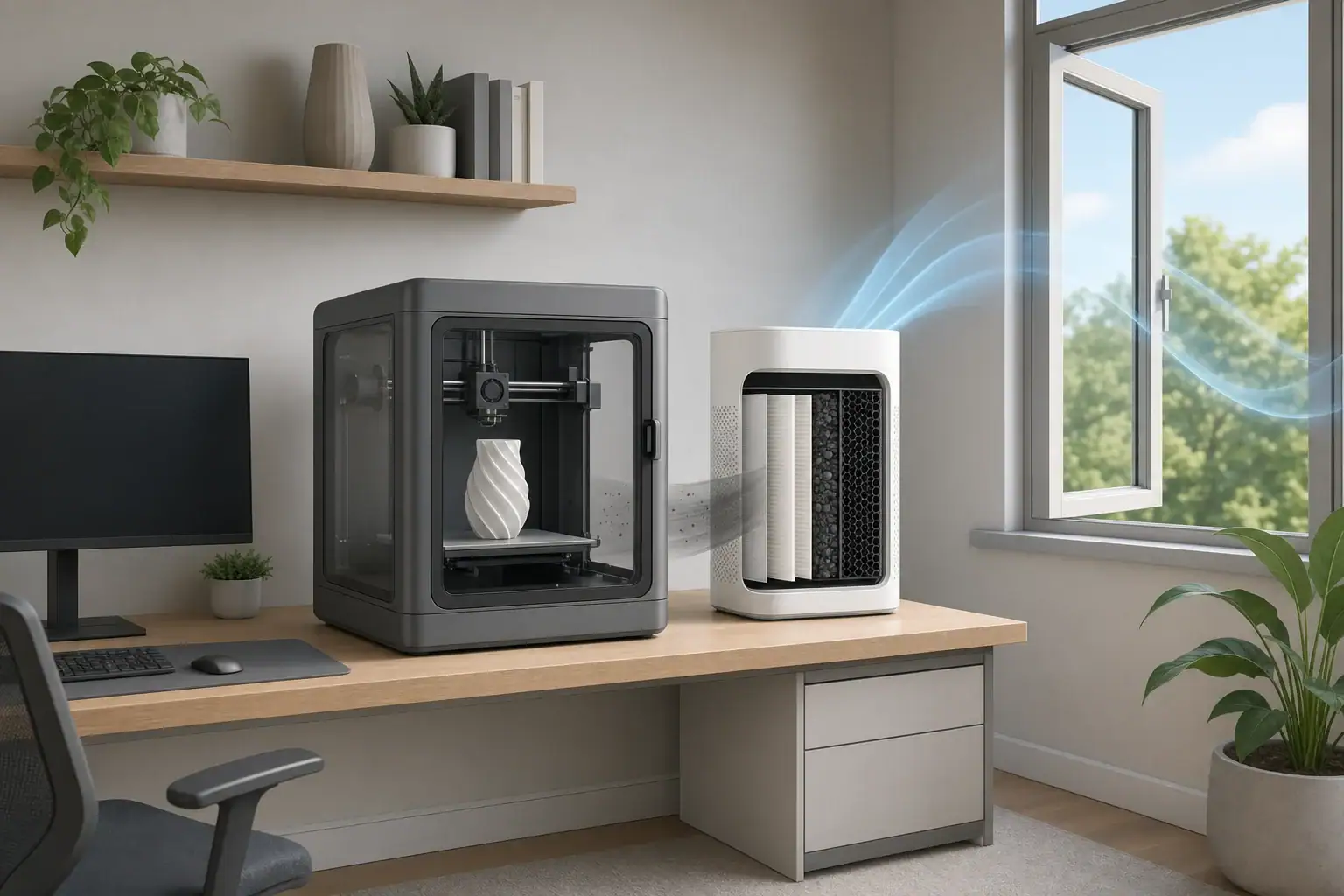
3D printer fumes at home are best managed with source control, outdoor ventilation, and filtration selected for both airborne particles and volatile organic compounds.
Desktop 3D printers can release very small particles and gases, although the amount varies by printing process, material, temperature, and operating conditions. A practical room setup limits how far emissions spread and keeps air moving away from occupied areas.
- Place the printer in a separate, ventilated room rather than a bedroom or frequently occupied living area.
- Use an enclosure, ideally exhausted outdoors, to capture emissions near the source.
- As general planning guidance, consider about 3–6 air changes per hour during printing when outdoor exhaust is not available.
- Choose HEPA filtration for particles and a substantial activated carbon stage for gases and odors; neither replaces ventilation.
- Continue ventilation for roughly 30–60 minutes after printing as a practical starting point, adjusting for the process and room.
What 3D Printer Fumes Contain
The word fumes is commonly used for a mixture of particles and gases released during printing. The exact mixture depends on whether the machine melts filament, cures liquid resin, or uses another process.
Particles from filament printing
Fused-filament fabrication heats plastic and pushes it through a nozzle. This process can release ultrafine particles, many of which are smaller than the particle sizes measured reliably by typical consumer PM2.5 monitors. A low PM2.5 reading therefore does not prove that no printer-related particles are present.
Particle emissions can change with filament formulation, nozzle temperature, print speed, printer condition, and additives such as pigments. Material names alone do not provide a complete emissions profile.
VOCs from filament and resin
Heating filament can release volatile organic compounds, or VOCs. Resin printers and their cleaning supplies can also release vapors during printing, washing, curing, pouring, and waste handling. An odor may indicate that a gas is present, but odor strength does not measure concentration or establish a safety threshold.
Safety data sheets and handling instructions for the specific filament, resin, cleaner, or additive remain important. Different formulations sold under the same broad material category may have different handling requirements.
How Emissions Behave in a Home Room
Emissions are usually most concentrated near the printer before room air currents dilute and distribute them. Open doors, central HVAC returns, fans, and movement through the room can carry contaminants beyond the printing area.
An enclosure reduces this spread only when it is reasonably sealed and managed correctly. A loose enclosure can delay release rather than eliminate it, while an enclosure exhausted outdoors maintains airflow toward the printer and removes captured air from the home.
Room volume affects dilution and filtration planning. Multiply floor area by ceiling height to estimate volume. For example, a 120-square-foot room with an 8-foot ceiling contains about 960 cubic feet of air. A general 5-ACH target in that room corresponds to approximately 80 cubic feet per minute because CADR equals room volume multiplied by ACH, divided by 60.
This calculation is useful for particle filtration. Gas removal is harder to predict because carbon quantity, gas type, contact time, humidity, airflow, and media saturation all affect performance.
| Situation | Primary concern | Practical control |
|---|---|---|
| Enclosed filament printer | Particles and VOCs | Exhaust enclosure outdoors when feasible |
| Open-frame filament printer | Emissions spreading into the room | Add an enclosure or relocate the printer |
| Resin printing | Vapors and liquid handling | Use a dedicated ventilated work area |
| Resin washing or curing | Vapors during post-processing | Keep containers closed and ventilate outdoors |
| No outdoor exhaust option | Accumulation in room air | Combine enclosure, HEPA, carbon, and room ventilation |
| Printer in a shared living area | Long occupant exposure time | Move it to a separate low-occupancy room |
How to Set Up the Printing Room
A separate room with a closable door is generally easier to manage than an open-plan living space. Garages and workshops may be options when temperatures stay within the printer and material operating ranges, but attached garages should be isolated from living areas.
Create airflow toward the outdoors
Outdoor exhaust is most effective when it captures air at or around the enclosure rather than trying to clear the entire room after contaminants have dispersed. The exhausted air should terminate outdoors away from operable windows, doors, and air intakes.
A window fan can help create negative pressure in a printing room. Place the fan to exhaust outward and provide replacement air from a cleaner part of the home through a door undercut or controlled opening. Avoid aiming a strong fan directly across an open printer because drafts may affect print quality and spread emissions before capture.
Keep emissions out of the HVAC system
Do not place an open printer beside a central return vent. A return can distribute room air through other parts of the home, and ordinary HVAC filters are not designed to provide source capture or broad VOC removal.
Keep the room door closed during printing when practical. Children, pets, food preparation, and sleeping areas should be separated from printing and resin-handling activities.
Choosing HEPA and Carbon Filtration
Particle and gas filtration perform different jobs. HEPA media captures airborne particles when air passes through the filter. Activated carbon adsorbs certain gases onto its internal surface, but performance varies substantially by the type and amount of carbon.
Size particle filtration with CADR
Use smoke CADR or a comparable particle CADR when available. The basic planning formula is:
Required CADR in cfm = room volume in cubic feet × target ACH ÷ 60
For the 960-cubic-foot example room, 3 ACH requires about 48 cfm, while 6 ACH requires about 96 cfm. These are planning examples rather than official limits. Enclosure exhaust may reduce the burden on a room purifier because it captures emissions before they mix throughout the space.
Higher filter grades do not automatically produce better room cleaning. Airflow, filter fit, cabinet sealing, and bypass leakage all matter. A well-sealed HEPA system with adequate airflow can be more useful than denser media installed in a leaky or underpowered device.
Evaluate carbon by media quantity
Thin carbon-coated sheets may help with some odors but generally have limited gas capacity. Deeper beds containing granular or pelletized carbon provide more media, although no simple room-size rating predicts removal of every VOC. Carbon eventually becomes saturated and should be replaced according to condition, use, and manufacturer instructions.
Place a portable purifier near the enclosure without blocking printer cooling or exhaust paths. Leave clearance around the purifier intake and outlet, and run it at a sustainable speed throughout the print and post-print ventilation period.
Monitoring and Common Setup Mistakes
Consumer monitors are most useful for observing trends, not certifying that a room is safe. PM2.5 sensors may respond to larger printer-generated particles but can miss ultrafine particles. TVOC sensors often provide a broad relative signal rather than identifying individual compounds.
Carbon dioxide is not a printer-fume measurement. It can, however, indicate whether occupied-room ventilation is limited. Opening a window may lower CO2 while still failing to capture emissions efficiently if airflow carries printer exhaust across the room first.
Common setup mistakes include:
- Assuming an enclosure removes contaminants when it has no exhaust or filtration.
- Using a particle-only purifier to address VOCs and odors.
- Relying on odor alone to decide when ventilation is adequate.
- Placing the printer in a bedroom, kitchen, or continuously occupied office.
- Undersizing a purifier by using floor area without accounting for ceiling height.
- Allowing filters, fans, vents, or enclosure seals to become obstructed.
If monitor readings rise during every print, odors linger, or air escapes visibly from enclosure gaps, review capture airflow, door position, filter condition, and exhaust routing. Changes should be evaluated one at a time so their effects are easier to observe.
Room Setup Examples for Common Homes
Small spare room
In a small room, use an enclosed printer near a window with controlled exhaust outdoors. Keep the door closed and provide a modest replacement-air path. A HEPA-and-carbon purifier can supplement source capture, especially while opening the enclosure or removing a finished print.
Apartment without a dedicated exhaust duct
A removable window-panel exhaust may be practical if building rules allow it and the outlet does not affect nearby units. If outdoor exhaust is unavailable, choose a low-occupancy room, keep the printer enclosed, use both particle and gas filtration, and increase general ventilation. Avoid exhausting into a hallway, ceiling cavity, or another interior area.
Open-plan home
An open-plan room is difficult to isolate because emissions can spread before reaching a purifier. Relocating the printer to a closable room is usually more effective than adding multiple fans to the open area.
Resin workstation
Keep printing, washing, curing, and temporary waste storage together in a dedicated ventilated zone. Use closed containers, suitable protective equipment, and the material instructions. Do not pour uncured resin or contaminated cleaning liquid into household drains; follow applicable local disposal requirements.
Safety, Maintenance, and Filter Planning
Inspect enclosure seals, exhaust ducts, fan grilles, and filter housings regularly. Dust or residue can reduce airflow, while a displaced filter can allow air to bypass the media. Clean equipment only when it is powered down and according to its instructions.
Track filter installation dates and printing hours. HEPA replacement depends on particle loading and airflow resistance. Carbon replacement depends on media quantity, VOC load, humidity, and use patterns; a return of odor can be a maintenance cue but should not be the only one.
Keep replacement costs in the room plan. Running a purifier at a lower, quieter setting may provide less airflow than its maximum rating, so size equipment using the speed likely to be used consistently.
Ionizers, electrostatic features, and some air-cleaning technologies may generate ozone as a byproduct. For occupied homes, choose equipment designed and verified not to produce meaningful ozone. UV-C does not replace particle filtration, carbon media, or outdoor exhaust, and exposed UV-C can present safety concerns.
For resin systems, keep liquid materials in closed original containers away from heat and direct sunlight. Clean spills using the material instructions, keep uncured materials away from children and pets, and maintain ventilation during post-processing as well as printing.
| Metric | What it can indicate | Important limitation | Practical use |
|---|---|---|---|
| PM2.5 | Changes in measurable fine particles | May miss ultrafine emissions | Compare printing and non-printing trends |
| TVOC | Relative changes in mixed gases | Does not identify specific VOCs | Check ventilation and carbon trends |
| CO2 | Ventilation in occupied rooms | Does not measure printer fumes | Assess general air exchange |
| Temperature | Room and enclosure conditions | Not an emissions measurement | Keep equipment within operating guidance |
| Relative humidity | Moisture conditions affecting comfort and media | Does not show pollutant levels | Generally maintain about 30–50 percent |
| Odor observations | Changes noticed during operation | Not quantitative or compound-specific | Use as a maintenance cue only |
Related guides: Air Purifier for Printer and Craft Rooms: Particles, VOCs, and Placement • Ventilation vs Air Purifier: When You Need One, the Other, or Both • How to Choose the Right Air Purifier for Your Room Size • When to Replace Carbon Filters (And How to Tell They’re Spent)
Key Takeaways for Managing 3D Printer Fumes
The most effective room setup starts by controlling emissions at the printer. Use an enclosure, direct captured air outdoors when feasible, and prevent air from spreading into bedrooms or shared living areas.
HEPA filtration addresses particles, while substantial activated carbon media can supplement VOC control. Size particle filtration with room volume and a practical ACH target, but treat purification as a backup to source capture and ventilation rather than a complete substitute.
Monitor trends, maintain airflow paths, replace loaded filters, and follow the handling instructions for each filament, resin, cleaner, and printer process. These steps create a more predictable and manageable home printing environment.
Frequently asked questions
Are 3D printer fumes safe to breathe at home?
Desktop 3D printers can release particles and volatile organic compounds, so it is sensible to reduce exposure rather than treat emissions as harmless. The amount and type of emissions vary with the printing process, material, temperature, enclosure, and room conditions. Source capture and outdoor exhaust are generally more effective than relying on room dilution alone.
Do I need to ventilate a 3D printer enclosure outdoors?
Outdoor exhaust is the preferred option when it can be installed safely and practically because it removes captured air from the home. An enclosure without exhaust or effective filtration can reduce initial spread but may release accumulated emissions when opened. Exhaust outlets should be located away from windows, doors, and outdoor air intakes.
Is a HEPA air purifier enough for 3D printer fumes?
A HEPA purifier can help remove airborne particles, including many particles generated during filament printing, but it does not provide broad removal of VOCs. For gases and odors, a purifier needs a substantial activated carbon stage, and even that has limited capacity. Filtration should supplement enclosure capture and ventilation rather than replace them.
How long should I ventilate a room after 3D printing?
Continuing ventilation for about 30 to 60 minutes after a print is a practical starting point, particularly before opening an enclosure or spending time in the room. The appropriate duration depends on the room size, airflow, material, print duration, and whether the printer is enclosed and exhausted outdoors. Resin printing and post-processing may require ventilation throughout handling activities as well.
Can I run a 3D printer in a bedroom or home office?
A bedroom or continuously occupied home office is generally not an ideal location because people may spend long periods there, including while sleeping. A separate room with a closable door, source capture, and ventilation is easier to manage. If relocation is not possible, reduce time in the area during printing and improve enclosure, filtration, and outdoor ventilation controls.
Recommended next:
- Activated Carbon Filters Explained: VOCs, Odors, and What They Can’t Do
- How Much Activated Carbon Do You Need to Remove Odors?
- Carbon Filter vs HEPA: What Each One Removes (And What It Doesn’t)
- Formaldehyde in Homes: Sources, Risks, and How to Reduce It
- Activated Carbon Types: Pellet vs Granular vs Impregnated Carbon
- How Much Carbon Do You Need for Odors? Weight, Depth, and Contact Time
- Clear sizing logic (room size → CADR/ACH)
- HEPA vs carbon explained for real use-cases
- Humidity + ventilation basics to reduce mold risk