
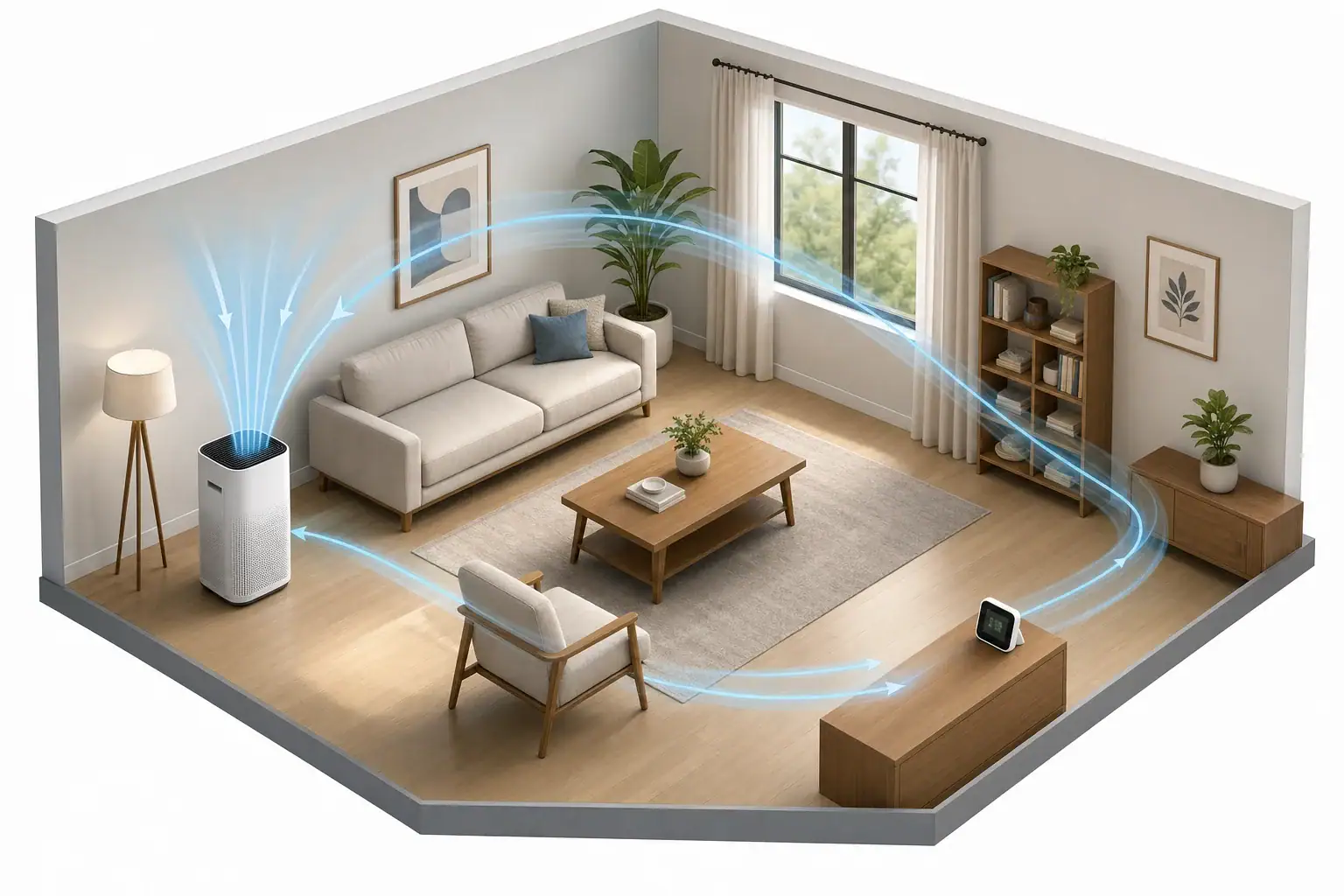
How long air purifiers take to work on particles
An air purifier filters air as soon as its fan draws room air through the filter. That is not the same as instantly cleaning the whole room. A monitor may show a sustained downward particle trend relatively soon in a small, well-mixed room with an adequately sized purifier, but there is no universal time to reach a chosen reduction.
It helps to separate three meanings of “working”:
- Startup: the fan is moving air through the filter.
- Detectable response: a consistently positioned particle monitor shows a sustained decline beyond ordinary fluctuations.
- Target reduction: the room reaches a selected reduction from its starting particle concentration, such as 50% or 90%.
For particles, the useful starting point is the purifier’s clean air delivery rate (CADR) at the fan speed actually being used and the volume of the space. The U.S. Environmental Protection Agency (EPA) guide to air cleaners advises choosing a CADR large enough for the room, keeping airflow unobstructed, and accounting for high ceilings and connected spaces. It also notes that CADR is typically measured at the air cleaner’s highest speed.
Variables that change the response time
| Variable | Why it changes particle reduction |
|---|---|
| Room volume | More cubic feet take longer to treat when CADR stays the same. |
| CADR at the selected speed | Higher particle CADR produces faster ideal removal. A maximum-speed CADR should not be assumed for sleep, low, or automatically reduced modes unless the manufacturer provides data for those settings. |
| Air mixing | Furniture, partitions, corners, and stagnant areas can delay a representative room-wide decline. |
| Purifier placement | A blocked intake or outlet restricts airflow and can impair circulation through the room. |
| Open doors, windows, and leakage | These can connect the unit to a larger effective space or introduce particles from outdoors or nearby rooms. |
| Continuing particle sources | Cooking, candles, smoking, cleaning activities, and outdoor particle events can offset filtration. |
| Pollutant type | Particle CADR does not predict how quickly gases, vapors, or odors will decline. |
| Monitor location | A monitor in the clean-air outlet stream can show a faster drop than the room as a whole experiences. |
The AHAM paper on room air cleaners and equivalent air changes explains that its suggested-room-size method uses smoke CADR and 4.8 equivalent air changes per hour. That standardized approach is useful for comparing appropriately rated units; it is not a promise of an exact cleaning time in an individual home.
Theoretical room-volume and CADR example
This is an idealized calculation, not a prediction of performance in a home. It assumes perfect mixing, no new particle source, no infiltration, and a constant fan speed.
- Room dimensions: 12 × 15 × 8 feet
- Room volume: 1,440 cubic feet
- Assumed smoke CADR at the selected speed: 200 cubic feet per minute (cfm)
The equivalent air-change rate in this example is:
200 cfm × 60 minutes ÷ 1,440 ft³ = 8.33 air changes per hour
Using the ideal first-order clearance relationship, C/C₀ = e−(CADR/V)t, the calculated times are:
| Ideal particle reduction from the starting level | Calculated time |
|---|---|
| 50% | About 5 minutes |
| 90% | About 17 minutes |
| 99% | About 33 minutes |
This airflow-and-volume approach is consistent with the exponential clearance method in the CDC environmental infection-control appendix. CDC cautions that its clearance calculations assume perfect mixing and no continuing aerosol source; stagnant areas and imperfect mixing increase the time required. Its guidance is useful for understanding the math, not for promising residential purifier performance.
One air change does not remove every particle. In a mixed-room model, concentration falls progressively with each pass through the purifier.
How to check the PM2.5 response
A home PM2.5 monitor can help compare trends under repeatable conditions. It cannot prove that every indoor pollutant has been removed. The EPA’s air-sensor siting guide recommends representative breathing-zone placement, free airflow, and separation from sources, sinks, doors, windows, and HVAC outlets.
- Use one monitor and one unit of measurement. Do not treat readings from different sensors as directly interchangeable.
- Choose a representative location. Place the monitor about 3–6 feet above the floor with open airflow around it.
- Keep it out of the purifier’s immediate airflow. Do not place it beside the intake or directly in the outlet stream.
- Avoid strong local influences. Keep it away from cooking appliances, open windows, frequently used doors, and HVAC supply vents.
- Record the conditions. Note room dimensions, purifier fan setting, door and window positions, and active particle sources.
- Establish a stable baseline. Keep the monitor in place before turning on the purifier.
- Log readings at consistent intervals. A graph is usually more informative than a single before-and-after reading.
- Repeat comparable runs if useful. Compare fan speeds only while other conditions remain as similar as practical.
- Do not deliberately create smoke or aerosols for a test. Observe naturally occurring particle changes instead.
Consumer monitors are most useful for observing trends under consistent conditions. The EPA’s guidance on low-cost indoor air monitors describes important capabilities and limitations.
Why odors and gases have a different timeline
Particle CADR applies to airborne particles; it does not provide a removal rate for gases, vapors, or odors. Gas reduction depends on the pollutant, the amount and type of sorbent media, airflow through that media, whether the media is saturated, and whether the source remains active. A falling PM2.5 reading therefore cannot tell you when an odor or gas is gone.
Startup response is different from daily runtime
The time needed to observe an initial particle decline is different from deciding how many hours per day to run a purifier. After the fan stops, particles can enter or be generated again. Automatic mode can also lower fan speed and change the effective CADR. For a startup check, keep the selected speed and room conditions stable; for ongoing use, consider recurring sources, outdoor conditions, noise, filter maintenance, and the manufacturer’s instructions.
Related guides: CADR Calculator: How to Match Room Size, Ceiling Height, and ACH · PM2.5 Monitor Near a Purifier: Why Placement Changes the Numbers · How Long Should You Run an Air Purifier Each Day? Practical Schedules
Frequently asked questions
Will an air purifier work as quickly on low or auto mode?
Not necessarily. EPA notes that CADR is typically measured at the highest fan speed. A lower or automatically reduced speed may move less air and take longer to lower particle concentrations. Use speed-specific performance information when the manufacturer provides it, or compare monitor trends with the same setup and conditions.
Why are PM2.5 readings not falling while the purifier is running?
New particles may be entering through windows, doors, or leakage, or being generated by cooking, candles, smoking, or cleaning. Poor mixing, blocked airflow, and a monitor too close to a source can also conceal a room-wide decline. Keep the fan setting, monitor position, and room conditions consistent while checking the trend.
Can a lower PM2.5 reading tell me when an odor or gas is gone?
No. PM2.5 monitors and particle CADR describe airborne particles, not gases, vapors, or odors. Gas reduction depends on the pollutant, the purifier’s sorbent media, airflow, media saturation, and whether the source continues.
Summary
An air purifier begins filtering immediately, but room particle levels fall over time rather than on a universal schedule. Use room volume and CADR at the actual fan setting as a theoretical starting point, then account for mixing, placement, open boundaries, and ongoing sources. A consistently positioned PM2.5 monitor can show the real trend without confusing outlet air with room-wide conditions.
Recommended next:
- Best Air Purifiers for Allergies: What to Look For (CADR, HEPA, Carbon)
- How to Choose the Right Air Purifier for Your Room Size (With CADR & ACH)
- Air Purifier Placement: Where to Put It for Best Results
- Do Air Purifiers Help With Smoke and Odors?
- Air Purifier Noise: What dB Levels Are Quiet Enough for Sleep?
- Best Air Purifiers for Pets: Dander, Odors, and Filter Costs
- Clear sizing logic (room size → CADR/ACH)
- HEPA vs carbon explained for real use-cases
- Humidity + ventilation basics to reduce mold risk