
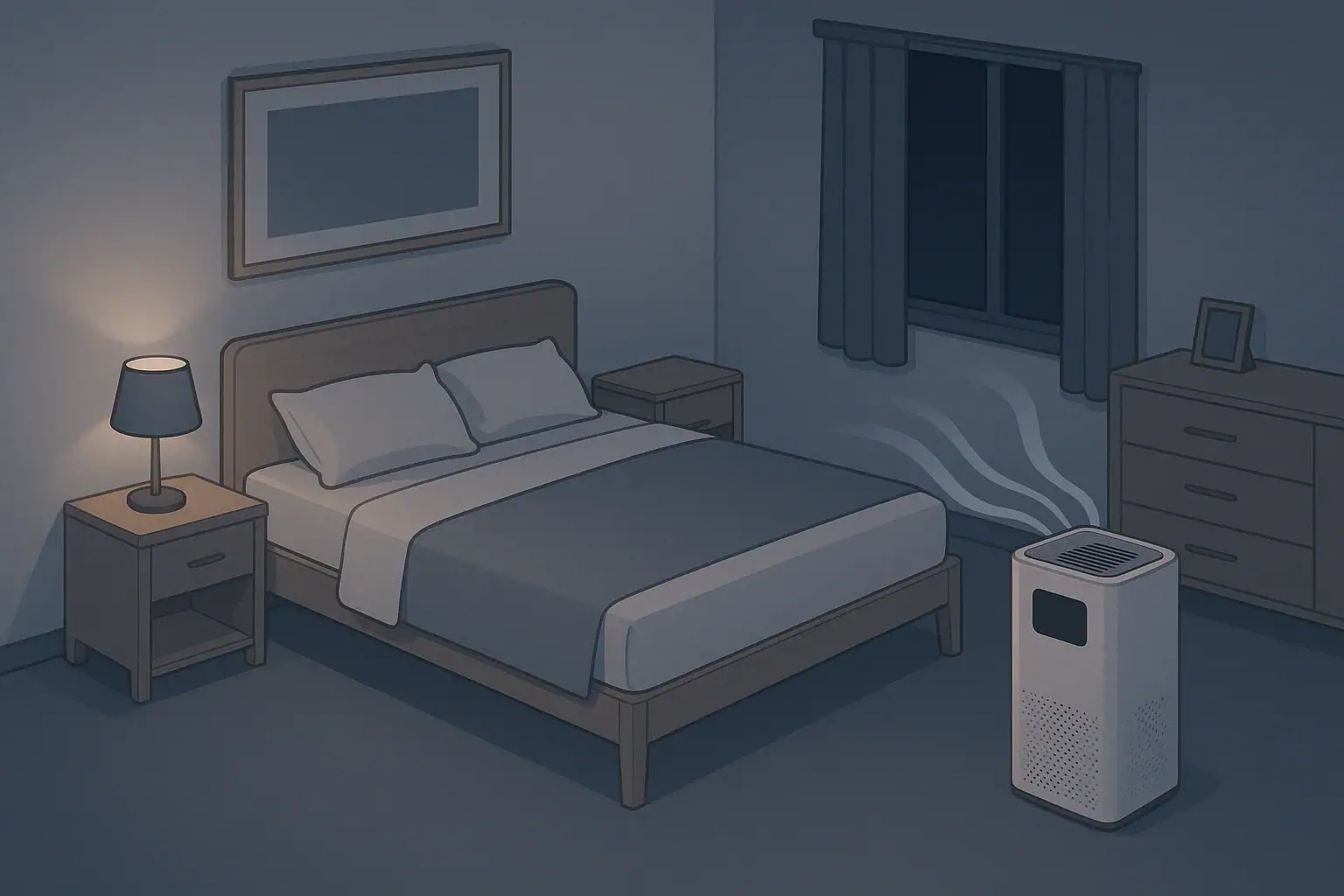
For most people, an air purifier is quiet enough for sleep when it stays around 25–35 dB at the pillow and has a smooth, steady fan sound. That range usually gives you cleaner bedroom air without the fan noise becoming the thing that keeps you awake.
When you bring an air cleaner into the bedroom, you are adding a constant new sound: fan hum, airflow, and sometimes mechanical tones. Whether that becomes relaxing white noise or a nightly annoyance depends on both the decibel (dB) level and the character of the sound. Understanding air purifier noise for sleep helps you choose the right model, fan speed, and placement so you get enough filtration without sacrificing rest.
This guide explains what different dB levels actually feel like at night, how to read noise specs, and how to troubleshoot a purifier that sounds too loud. You will also find safety basics, long-term maintenance tips, and a practical checklist of specifications to look for when you want quiet, effective bedroom filtration.
What Air Purifier Noise Means for Sleep (and Why It Matters)
Noise from an air purifier is mainly the sound of the fan pushing air through filters. In a bedroom, that sound can be helpful or disruptive. The goal is not silence at any cost, but a combination of low-to-moderate noise and smooth sound quality that fades into the background while you sleep.
Most bedroom air purifiers are rated somewhere between about 18 dB on the lowest setting and 55–60 dB on the highest. Because the decibel scale is logarithmic, a purifier that is 10 dB louder can feel roughly twice as loud to your ears. That is why the difference between 28 dB and 35 dB can feel small during the day but surprisingly big at night in a quiet room.
Why this matters for sleep quality:
- Light sleepers are more likely to wake up from changing or higher-pitched sounds, even if the dB level is not extreme.
- People with allergies or asthma may need higher fan speeds for adequate filtration, so they must balance noise tolerance with health needs.
- Different homes have different background noise. A “quiet” air purifier in a city apartment can feel too loud in a rural bedroom.
Thinking about air purifier noise in terms of both volume and sound character makes it easier to choose settings that support deep, continuous sleep.
Key Noise Concepts: dB Levels, Distance, and Sound Character
To judge whether an air purifier will be quiet enough for sleep, it helps to understand a few basic sound concepts: decibel levels, how distance changes what you hear, and the difference between smooth and irritating noise.
Decibels and Typical Bedroom Ranges
Decibels (dB) describe sound intensity. Most home appliance specs use dB(A), which weights frequencies roughly the way human hearing does. At night, even small changes in dB can matter because the rest of the room is so quiet.
| Noise level at pillow (dB) | What it typically feels like at night | Sleep impact for most people |
|---|---|---|
| Under 25 dB | Almost silent, faint airflow if you listen closely | Rarely disturbing; may feel like the unit is off |
| 25–30 dB | Very soft whoosh or hum | Comfortable for nearly all sleepers |
| 30–35 dB | Gentle white noise, clearly audible but smooth | Often ideal balance of masking and quiet |
| 35–40 dB | Noticeable fan sound | Fine for many; may bother very light sleepers |
| 40–45 dB | Prominent hum, similar to a louder bathroom fan | Can disturb light sleepers in quiet homes |
| Over 45 dB | Loud fan noise, dominates the room | Better for short, intensive cleaning than overnight use |
Manufacturers usually measure noise about one meter (roughly three feet) from the purifier in a test room. At your pillow, the level will depend on how far the unit is from the bed, how sound reflects off walls and furniture, and how quiet your home is overall.
Distance and Placement Effects
In simple terms, moving a purifier farther away generally makes it sound quieter. In open space, every time you double the distance, sound level drops by roughly 6 dB. Real rooms are more complicated because of reflections, but a few practical rules hold:
- Placing the purifier 6–10 feet from the bed usually sounds much softer than 2–3 feet away.
- Putting it in a corner or tight alcove can make noise feel sharper due to reflections.
- Pointing the air outlet away from your head often reduces high-frequency hiss at the pillow.
Sound Character: Steady vs. Fluctuating, Low vs. High Pitch
Two purifiers at the same dB(A) can feel very different at night because of sound character:
- Steady noise (constant fan speed, smooth airflow) tends to be easier to sleep through and can act like white or pink noise.
- Fluctuating noise (auto modes that ramp up and down, rattles, intermittent buzzing) often causes micro-awakenings.
- Lower-pitched whoosh is usually more soothing than a high-pitched whine or whistle, even at the same dB.
Because dB ratings do not describe pitch or fluctuations, you may need to experiment with fan modes and placement to get a sound profile that feels genuinely sleep-friendly.
Real-World Bedroom Examples and Use Scenarios
How quiet your air purifier needs to be for sleep depends heavily on your environment and sensitivity. These examples show how the same purifier can feel very different in different bedrooms.
Quiet Suburban or Rural Bedroom
In a detached home on a quiet street, nighttime background noise can be as low as 20–30 dB. In this setting:
- A purifier running at 25–30 dB will be clearly audible but still soft.
- A setting around 30–35 dB may sound like gentle white noise and help mask creaks or distant outdoor sounds.
- Speeds that push noise above 40 dB can feel intrusive, especially for light sleepers.
People who prefer very quiet bedrooms often run a slightly larger purifier on its lowest or second-lowest setting to keep noise down while still maintaining enough airflow.
City Apartment or Noisy Neighborhood
In a city apartment near traffic, elevators, or neighbors, the baseline noise may hover around 35–45 dB or higher. In this case:
- A purifier at 30–35 dB may be barely noticeable over background city sounds.
- A steady 35–40 dB fan noise can act as sound masking and make sudden noises less disruptive.
- Short periods at 40–45 dB may be tolerable if they help with heavy pollution or smoke events.
People who already use a separate white noise machine sometimes replace or supplement it with a purifier running at a moderate speed, as long as the sound is smooth and consistent.
Nurseries, Kids’ Rooms, and Shared Bedrooms
Children and babies can be more sensitive to sudden, sharp sounds but may sleep well with steady background noise. In shared bedrooms, you also have to respect the lightest sleeper in the room.
- For infants and toddlers, many caregivers aim for 20–30 dB near the crib, or slightly more if used as gentle white noise.
- For school-age children, 25–35 dB usually provides a comfortable mix of filtration and sound masking.
- In shared adult bedrooms, a purifier that can run below 35 dB on a usable setting offers more flexibility for different noise preferences.
Example Nighttime Settings in Different Rooms
| Bedroom type | Typical background noise | Suggested purifier setting for sleep | Notes |
|---|---|---|---|
| Rural or very quiet suburban | 20–30 dB | Low or sleep mode (roughly 22–30 dB) | Keep unit 6–10 feet from bed; avoid auto modes that ramp |
| Typical suburban | 25–35 dB | Low to low–medium (about 25–35 dB) | Use slightly higher speed if you prefer more masking noise |
| Urban apartment facing street | 35–45 dB | Low–medium or medium (about 30–40 dB) | Steady fan noise can help cover traffic and hallway sounds |
| Nursery | 25–35 dB | Low or sleep mode (about 20–30 dB) | Avoid frequent speed changes; keep unit out of reach |
| Shared adult bedroom | 25–35 dB | Lowest setting that maintains comfort (roughly 25–33 dB) | Adjust based on the lightest sleeper’s preference |
Common Noise Problems and Troubleshooting Mistakes
Even a purifier that looks quiet on paper can sound loud or irritating in real life if it is used or maintained incorrectly. Many of the most common issues are simple to diagnose and fix.
Common Mistakes That Make Purifiers Seem Louder
Watch for these habits that often push noise above a sleep-friendly level:
- Running on maximum speed all night in a small bedroom, even when lower speeds would provide enough filtration.
- Placing the unit too close to the bed, so the fan noise and airflow hit your ears directly.
- Using auto mode overnight, causing sudden speed changes when the sensor detects minor dust or movement.
- Positioning in corners, alcoves, or directly against walls, where sound reflections and vibrations can amplify noise.
- Ignoring filter maintenance, which can force the fan to work harder through clogged filters.
Troubleshooting Unwanted Noises
If your air purifier seems too loud for sleep, or has developed new noises, use these cues to narrow down the cause:
- Rattling or buzzing: Often caused by loose panels, mis-seated filters, or the unit vibrating on a hard surface. Try reseating filters, tightening panels, and placing the purifier on a stable, non-hollow surface.
- Whistling or high-pitched hiss: Can indicate partially blocked air inlets/outlets or filters that are overdue for cleaning or replacement. Check for curtains, furniture, or walls too close to vents.
- Sudden surges in fan speed: Usually linked to auto or turbo modes reacting to particles. Switch to a fixed low or sleep mode at night to keep speed steady.
- Vibration through floors or furniture: Common on lightweight tables or thin floors. Move the unit to a heavier surface or add a soft pad underneath.
Quick Adjustments to Reduce Nighttime Noise
Before assuming you need a different purifier, try these simple changes:
- Run the purifier on high for 30–60 minutes before bed with the door closed, then switch to low for the night.
- Increase the distance between the purifier and your head by a few feet and avoid direct airflow at the bed.
- Turn off auto or sensor-based modes overnight so the fan speed stays constant.
- Rotate the unit slightly so the strongest airflow is not pointed directly at hard walls or furniture surfaces.
Safety Basics When Running an Air Purifier While You Sleep
Most modern residential air purifiers are designed to run continuously and are generally safe to use overnight. Still, a few safety practices are worth following when the device will be on for many hours while you are asleep.
Electrical and Placement Safety
- Use a dedicated, grounded outlet when possible, and avoid daisy-chaining multiple high-draw appliances on the same power strip.
- Keep cords tidy and out of walkways to prevent tripping hazards during nighttime bathroom trips.
- Maintain clearance around air inlets and outlets (often at least a few inches on all sides) to prevent overheating and maintain airflow.
- Avoid blocking vents with bedding, curtains, or furniture, especially in small rooms where fabrics can shift during the night.
Filter and Air Quality Safety
- Follow filter replacement schedules to prevent buildup of dust and particles inside the unit, which can affect both performance and hygiene.
- Do not modify filters or use improvised materials that are not designed for the purifier, as this can change airflow, noise, and filtration performance.
- Be cautious with added features such as ionization or similar functions if anyone in the room is sensitive to byproducts; use standard mechanical filtration for the most predictable results.
Safe Use in Nurseries and Around Children
- Place the purifier where children cannot tip it over or block vents with toys or blankets.
- Secure cords so they are not accessible for pulling or chewing.
- Keep the unit outside the crib area and aim for gentle airflow across the room, not directly on the child.
Maintenance and Long-Term Noise Control
Air purifiers tend to get louder over time if they are not maintained. Dust buildup, clogged filters, and worn parts all increase resistance to airflow and force the fan to work harder. A simple maintenance routine helps keep both noise and indoor pollutants under control.
Routine Tasks That Help Keep Noise Low
- Pre-filter cleaning: Many units have a washable or vacuumable pre-filter. Cleaning it regularly (often every 2–4 weeks in dusty homes) keeps larger particles from clogging the main filter and raising fan noise.
- Main filter replacement: Follow the manufacturer’s recommended interval, adjusting for heavy use or high pollution. An overdue filter can make the purifier louder and less effective.
- Exterior dusting: Wipe down intake and outlet grilles so dust does not restrict airflow.
- Check for loose parts: Every few months, inspect panels, filter doors, and screws for looseness that could cause rattles.
Maintenance Issues That Often Create Extra Noise
| Observed noise or symptom | Likely cause | Simple action to try |
|---|---|---|
| Fan sounds strained or louder than usual on same setting | Clogged pre-filter or main filter | Clean pre-filter and check if main filter is due for replacement |
| New rattling or buzzing appears | Loose panel, misaligned filter, or unstable surface | Reseat filters, tighten panels, and move unit to a solid, level surface |
| Whistling or sharp airflow noise | Blocked air inlet/outlet or object too close to vents | Clear at least several inches of space around all vents |
| Noise increases after several months without cleaning | Dust accumulation inside housing and grilles | Unplug unit and gently vacuum or wipe accessible grilles |
| Loud vibration at certain fan speeds only | Resonance with furniture or floor | Reposition purifier or place a soft pad or mat under the base |
Long-Term Use Strategies for Quiet, Effective Filtration
To keep both noise and pollutants under control over months and years:
- Choose a purifier sized slightly larger than your bedroom so it can run on lower, quieter speeds while still achieving several air changes per hour.
- Schedule filter checks on a calendar or reminder app rather than waiting for performance to drop.
- Reassess placement if you change furniture, add rugs, or move the bed, as room acoustics and airflow paths will change.
Practical Takeaways and Specs to Look For
When you are choosing or adjusting an air purifier for sleep, it helps to have a simple set of targets. The idea is to get enough clean air for your bedroom size while keeping noise in a range your household can comfortably tolerate.
Key Takeaways for Quiet Sleep
- Aim for 25–35 dB at the pillow for most sleepers; this usually means using low or sleep mode in typical bedrooms.
- Use higher speeds before bedtime to quickly clean the air, then switch to a quieter setting for the night.
- Favor steady, low-pitched fan noise over modes that frequently ramp up and down.
- Placement matters: a few extra feet from the bed and avoiding corners can noticeably reduce perceived noise.
- Regular filter maintenance helps keep both noise and pollutants under control over the long term.
Specs to Look For When You Want Quiet Bedroom Filtration
When you compare air purifiers for nighttime use, focus on these practical specifications and features:
- Noise rating at low or sleep mode: Look for published minimum noise in the 20–30 dB(A) range if you are sensitive to sound.
- Noise rating at usable medium speed: For sound masking and higher airflow, check that medium speed stays below about 40 dB(A) if you plan to sleep with it on.
- Clean Air Delivery Rate (CADR) and room size rating: Choose a model rated for at least your bedroom size so it can run on quieter speeds while still cycling the air several times per hour.
- Dedicated sleep or night mode: Helpful for limiting fan speed, dimming lights, and avoiding sudden noise changes.
- Number of fan speeds: More speed steps give you finer control to find a comfortable balance between noise and airflow.
- Stable, sealed filter design: Good sealing reduces bypass leaks and rattles from loose panels.
- Clear maintenance schedule: Easy access to pre-filters and main filters makes it more likely you will keep the unit clean and quiet.
By combining realistic dB targets, thoughtful placement, and routine maintenance, you can use an air purifier as a nighttime ally: quietly cleaning the air while you sleep, instead of becoming another source of bedroom noise.
Frequently asked questions
Which air purifier specs and features matter most for quiet nighttime use?
Look for a low published noise rating on sleep or lowest mode (ideally in the 20–30 dB(A) range), a CADR and room-size rating that matches your bedroom so the unit can run at lower speeds, and a dedicated night mode or multiple fan speeds for fine control. Also favor sealed filter designs and easy access to pre-filters to reduce rattles and maintenance-related noise over time.
How can running a purifier overnight make it seem louder than it actually is?
Common causes include running at unnecessarily high speeds, placing the unit too close to the bed, using auto modes that ramp the fan, or operating with clogged filters that force the fan to work harder. Simple fixes like increasing distance, switching off auto modes at night, and cleaning filters usually reduce perceived loudness.
Is it safe to run an air purifier all night?
Yes—most modern residential air purifiers are designed for continuous operation and are safe to run overnight when used according to the manufacturer’s instructions. Practice basic electrical and placement safety: use a grounded outlet, keep vents clear, secure cords, and follow filter replacement schedules to maintain performance and hygiene.
How far should I place my air purifier from the bed to minimize noise without losing effectiveness?
Placing the purifier about 6–10 feet from the bed typically reduces perceived noise while still allowing effective room circulation for typical bedroom sizes. Keep the outlet pointed away from your head and avoid tight corners or alcoves where reflections can amplify high-frequency sounds.
What types of purifier noises suggest maintenance or a problem?
Rattling or buzzing often indicates loose panels or mis-seated filters; whistling or high-pitched hiss can point to blocked inlets/outlets or overdue filter cleaning; strained fan sounds may mean filters are clogged. Inspect and reseat filters, tighten panels, clean grilles, and reposition the unit to a stable surface to troubleshoot these issues.
- Clear sizing logic (room size → CADR/ACH)
- HEPA vs carbon explained for real use-cases
- Humidity + ventilation basics to reduce mold risk