
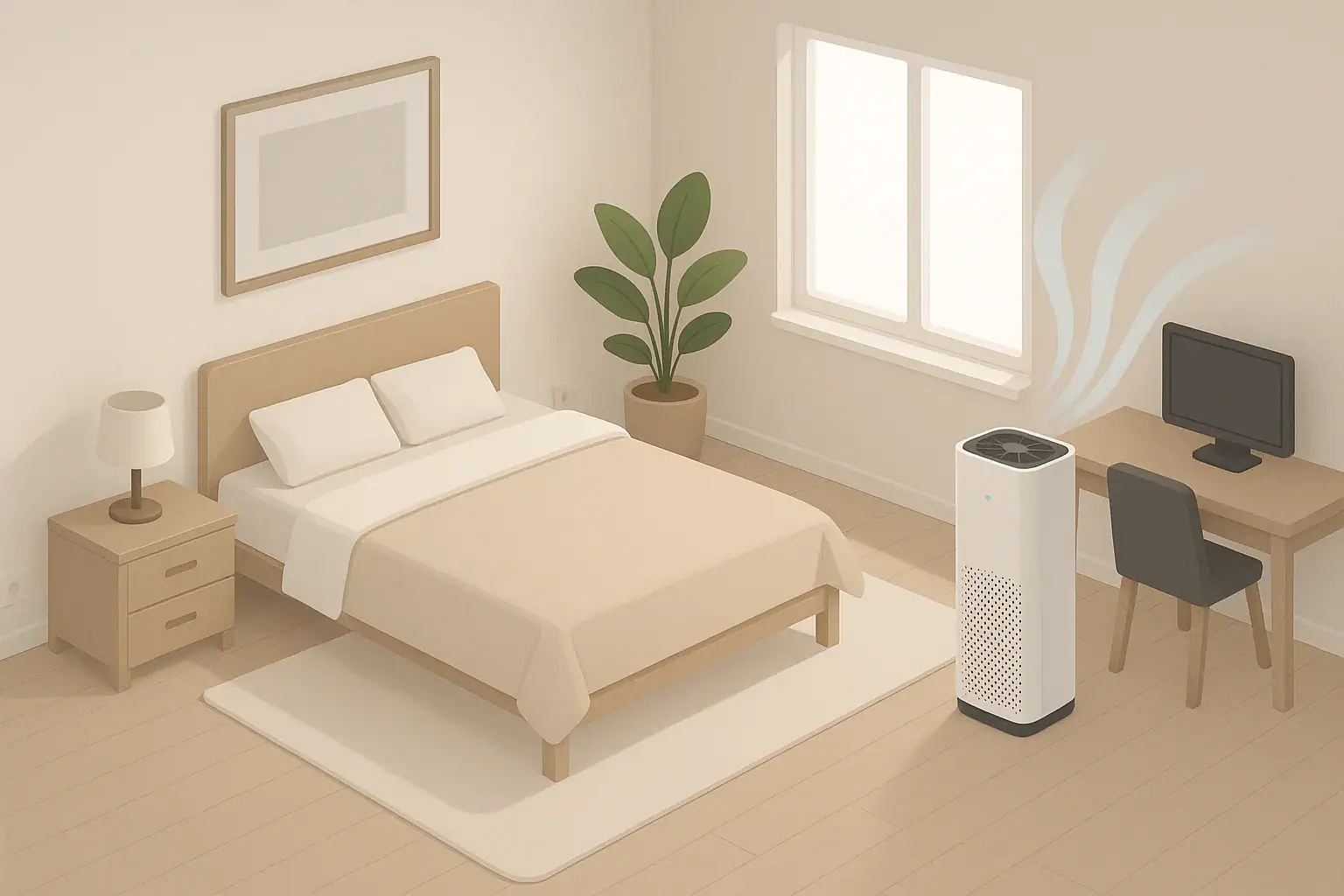
Most homes get the best results by running an air purifier 8–16 hours per day in main rooms, and up to 24/7 during allergy or smoke seasons. The exact schedule depends on room size, purifier capacity, and how much dust, pollen, smoke, or pet dander you are dealing with.
Instead of guessing how long to run an air cleaner, you can build a simple routine that fits your rooms and daily habits. That means using lower speeds for long stretches, boosting power during cooking or cleaning, and focusing on the spaces where you actually spend time.
This guide walks through how air purifiers work over time, how to set realistic daily schedules, what to avoid, and how to keep things safe and efficient. By the end, you will have a practical plan for run time, noise, energy use, and filter care that you can adjust season to season.
Why Daily Air Purifier Run Time Matters
Run time is what turns a good air purifier into consistently cleaner indoor air. The device only improves air quality when it is actually moving air through its filters, so the number of hours per day is just as important as the type of filter you buy.
Daily run time affects three main things:
- How clean the air stays: Longer, steady operation keeps dust, pet dander, pollen, and smoke particles from building back up.
- Comfort and noise: The more hours you run it, the more you may need to rely on lower fan speeds and smart placement to keep sound acceptable.
- Cost and filter wear: More hours mean more electricity use and faster filter loading, especially during dusty or smoky periods.
There is no single perfect number of hours that fits every home. A small bedroom with a right-sized unit might only need 8–10 hours per day, while a large open-plan living space or a home near busy roads may benefit from near-continuous use.
Thinking about run time as a daily “air hygiene” habit, rather than an occasional cleanup, is the key mindset shift. The goal is not to blast the room once, but to quietly keep particle levels low throughout the day and night.
How Air Purifiers Work Over Time: CADR, ACH, and Room Size
To decide how long to run an air purifier, it helps to understand how quickly it can clean a given room. Two ideas are especially useful: CADR and ACH.
- CADR (Clean Air Delivery Rate) is the volume of filtered air the purifier delivers each minute. It is usually given in cubic feet per minute (CFM) for smoke, dust, or pollen.
- ACH (Air Changes per Hour) is how many times per hour the purifier can theoretically move a room’s entire air volume through its filters.
In simple terms, higher CADR in a smaller room gives you higher ACH, which means the purifier can pull particle levels down faster and keep them low with fewer hours or lower fan speeds.
You can estimate ACH with a basic calculation:
- Measure room size (length × width × height) to get room volume.
- Look up the purifier’s CADR in CFM.
- Use this formula: ACH ≈ (CADR × 60) ÷ room volume.
| Room type | Approx. size (sq ft) | Example CADR (CFM) | Approx. ACH | Suggested daily run pattern |
|---|---|---|---|---|
| Small bedroom | 120 | 120 | ~6 ACH | 1–2 hours pre-bed on medium, then 7–9 hours overnight on low |
| Medium living room | 250 | 200 | ~4–5 ACH | Low all day when occupied, medium during cooking or cleaning |
| Large open-plan area | 450 | 250 | ~3 ACH | Near-continuous low to medium; consider extra unit or zoning |
| Home office | 100 | 100 | ~5–6 ACH | Low to medium during work hours, short high-speed boosts as needed |
| Nursery or child’s room | 110 | 120 | ~6 ACH | Continuous low when occupied, especially during naps and night |
These example values show that a well-sized purifier can reach several air changes per hour in a bedroom but may struggle to keep up in a large combined space. In that larger room, you either need more hours, higher speeds, or more than one unit.
Because indoor sources (people, pets, textiles, cooking, and outdoor air leakage) steadily add new particles, air cleaning is not a one-time event. Even after an initial “cleanup” period, the purifier must run often enough to keep up with what is constantly entering the air.
Real-World Daily Schedules and Special Situations
There is a wide range of reasonable schedules, but most households end up in one of three patterns:
- Continuous low-speed operation in key rooms.
- Long daily blocks (for example, daytime plus overnight) with targeted boosts.
- Event-based use focused on cooking, cleaning, and high-pollen or smoke days.
Bedroom schedule
Because you spend several uninterrupted hours in the bedroom, it is often the top priority.
- Evening pre-clean: 1–2 hours on medium with the door mostly closed to pull particle levels down before sleep.
- Overnight: 7–9 hours on low or sleep mode to maintain cleaner air with minimal noise.
- Daytime: If the room is unused and the door is closed, you can reduce speed or turn it off. If the door stays open to a hallway or living space, keep it on low to avoid recontamination.
Result: roughly 8–12 hours of run time per day focused on when you are in the room.
Living room or open-plan area schedule
Main living spaces usually have more activity, soft furnishings, and traffic from outdoors.
- Occupied daytime: Low to medium whenever people are using the space, often 6–12 hours.
- Cooking periods: Medium to high 30–60 minutes before, during, and after cooking to help with grease, smoke, and odors.
- Evening relaxation: Low or a quiet setting while watching TV or reading.
- Empty home: Off or very low if the home is unoccupied for long stretches and outdoor air is generally clean.
Result: 8–16 hours per day, with higher speeds tied to known pollution spikes.
Home office schedule
For a home office used during workdays:
- Work hours: Low to medium whenever you are in the room.
- Short boost: 20–30 minutes on high if the room has been closed up or you notice visible dust in sunbeams.
- Off hours: Low or off when the room is empty, unless it shares a lot of air with the rest of the home.
Result: 6–9 hours per weekday, with more flexible use on weekends.
High-pollution or special cases
Some situations temporarily increase the need for both run time and fan speed:
- Wildfire smoke or heavy outdoor pollution: Often 24/7 use in bedrooms and main living areas, with higher speeds during the day and lower at night.
- Indoor projects that create dust: Run on high during sanding, drilling, or sweeping, and keep it on medium to high for several hours afterward.
- Deep cleaning days: Medium to high during vacuuming, bed changing, and dusting, then low for several hours to capture stirred-up particles.
In these cases, it is usually better to err on the side of more hours and stronger airflow until conditions improve.
Common Run-Time Mistakes and How to Fix Them
Even with a good purifier, a few common habits can quietly undo your efforts. Recognizing these patterns helps you decide not just how long to run the unit, but how to run it more intelligently.
| Common mistake | What you might notice | Simple fix |
|---|---|---|
| Running on high for 1 hour, then off all day | Air feels fresher right after, but dust and odors return quickly | Use low or medium for many hours instead of short blasts on max |
| Placing unit in a corner or behind furniture | Clean air seems localized; far side of room stays dusty | Move purifier to a more central spot with several inches of clearance |
| Using a small purifier in a large open-plan space | Little change in allergy or smoke symptoms despite long run times | Reserve that unit for a smaller room or add another purifier for the larger area |
| Ignoring clogged filters | Fan sounds louder, but airflow feels weak at the outlet | Clean pre-filters regularly and replace main filters on schedule |
| Relying only on auto mode in a very dusty or smoky home | Sensor rarely triggers high speed, yet surfaces collect dust quickly | Set a constant low or medium baseline, then let auto handle spikes |
| Turning purifier off at night due to noise | Morning congestion or allergy symptoms despite daytime use | Switch to sleep mode, move unit farther from the bed, or lower speed instead of shutting it off |
Quick troubleshooting cues
Use these simple checks to decide whether your current schedule is working:
- Visual dust check: If you still see dust floating in sunlight beams after several hours of operation, you may need more ACH (higher speed or a larger unit) or more hours.
- Surface dust buildup: If surfaces get dusty within a day or two, consider running the purifier longer in the rooms you use most.
- Odor persistence: If cooking or pet odors linger even after long run times, check carbon or odor filters and increase run time around odor events.
- Symptom tracking: Note allergy or asthma symptoms morning and evening. If they improve on days you run the purifier longer, that is a sign your baseline schedule was too short.
Adjust your daily hours in small steps, such as adding 2–4 hours per day in a key room for a week, then reassessing comfort, noise, and results.
Safety Basics When Running an Air Purifier for Many Hours
Most modern air purifiers are designed for long, continuous operation, but it is still important to use them safely when they run for many hours each day.
Electrical and placement safety
- Use a proper outlet: Plug the purifier directly into a wall outlet, not a damaged extension cord or overloaded power strip.
- Keep vents clear: Do not drape curtains, bedding, or clothing over the unit. Blocked intakes or outlets can overheat components and reduce performance.
- Stable surface: Place on a flat, stable floor or platform where it will not be knocked over by children or pets.
- Away from moisture: Avoid placing it in very damp areas or directly next to humidifiers where mist can saturate filters.
Filter and air quality safety
- Replace filters on time: Severely overloaded filters can restrict airflow and may stress the fan motor.
- Avoid covering air inlets: Stacking items on top of a purifier with top exhaust can trap heat and reduce air circulation.
- Be cautious with ozone-producing technologies: If your unit has a setting that intentionally produces ozone or “ionization” modes, use them only according to the manual and disable them if you are sensitive.
Run-time safety with children, pets, and sleep
- Child and pet access: Position units so that cords are not tripping hazards and controls are not easily tampered with.
- Night use: For overnight operation, confirm that noise levels and airflow do not cause discomfort or dry throat. Adjust speed or distance from the bed if needed.
- Ventilation balance: Purifiers do not add fresh oxygen. If you are sealing a room tightly for smoke control, periodically ventilate when outdoor conditions allow.
Used correctly, running an air purifier many hours per day is generally safe and is often recommended during high-pollution periods or for sensitive individuals.
Filter Life, Maintenance, and Long-Term Use
The more hours per day you run your air purifier, the more important routine maintenance becomes. A clogged or saturated filter can quietly undo the benefits of long run times.
How run time affects different filters
- Pre-filters: Mesh or foam layers catch hair and larger dust. They load quickly in homes with pets and should be cleaned or replaced regularly to protect the main filter.
- HEPA or high-efficiency particle filters: These capture fine particles like pollen, smoke, and fine dust. Heavy daily use or smoke exposure shortens their effective life.
- Carbon or gas filters: These absorb odors and some gases. They gradually lose capacity, especially with frequent cooking or smoke, even if they still look clean.
Practical maintenance rhythm
A simple way to keep long-term performance consistent is to link maintenance to your run-time habits:
- Every 2–4 weeks: Check and clean pre-filters if washable, or replace disposable ones as needed.
- Every 3–6 months: Inspect main filters for darkening, dust buildup, or reduced airflow at your usual fan speed.
- Seasonally: Reassess run time during pollen season, heating season, or wildfire season and note any changes in filter wear.
If you only use a purifier heavily during certain months, you can store it during cleaner seasons. Before storage, clean or replace filters, allow any washable parts to dry completely, and cover the unit to keep dust out. When bringing it back into service, check filters again and run on low at first to confirm normal operation.
| Daily run pattern | Typical pre-filter care | Typical main filter check | What to watch for |
|---|---|---|---|
| 4–6 hours per day, light use | Inspect every 4–6 weeks | Inspect every 9–12 months | Gradual dust buildup; mild darkening on filter surface |
| 8–12 hours per day, average home | Clean every 3–4 weeks | Inspect every 6–9 months | Noticeable dust on pre-filter; reduced airflow at same fan setting |
| 16–24 hours per day, high pollution | Clean every 2–3 weeks | Inspect every 3–6 months | Darkened filters, more frequent odor breakthrough, fan working harder |
| Seasonal heavy use (smoke or pollen) | Before and after each season | Inspect at end of season | Filters may need replacement even if calendar time is short |
These intervals are starting points. If your home has multiple pets, indoor smoking, or frequent cooking, expect to shorten them. If your home is very clean and you run the unit fewer hours, you may stretch them slightly, but do not skip inspections.
Putting It All Together: Schedules, Specs, and Simple Rules
To decide how long to run an air purifier each day, combine what you know about your rooms, your pollution sources, and your comfort level with noise and cost.
Simple rule-of-thumb schedules
- Bedrooms: 8–12 hours daily, focusing on 1–2 hours before bed plus overnight on low.
- Main living areas: 8–16 hours daily, low to medium when occupied, higher during cooking or cleaning.
- Home office: Run during work hours, with extra boosts after long closures or dusty tasks.
- Smoke or heavy outdoor pollution days: Up to 24/7 in key rooms, with higher speeds when you are awake and lower when sleeping.
From there, adjust weekly based on visible dust, odors, and how you feel. If you notice better sleep or fewer morning symptoms on days you run the purifier longer, that is a sign your baseline schedule was too short.
Specs to look for when planning run time
If you are choosing or upgrading an air purifier with daily run time in mind, these specifications and features make scheduling easier and more effective:
- CADR ratings: Look for a CADR that gives you at least 4–5 air changes per hour in the room where you will use it most, based on your room volume.
- Multiple fan speeds: At least three speeds (low, medium, high) so you can balance noise and cleaning power at different times of day.
- Quiet low or sleep mode: A low setting that is comfortable to run overnight in bedrooms or nurseries.
- Clear filter indicators: Lights or reminders that help you track filter life when running the unit many hours per day.
- Washable pre-filter: Captures hair and large dust to extend the life of more expensive main filters.
- Timer or scheduling options: Built-in timers or compatibility with simple external timers so you can automate on/off periods.
- Energy use information: Published wattage at different fan speeds so you can estimate monthly operating cost for your chosen run time.
- Solid build and stable design: A sturdy housing and stable base for safe, long-term operation in high-traffic areas.
When you match these specs to your room size and daily routine, “how long to run an air purifier” becomes much easier to answer. You can run it enough hours, at the right speeds, to keep air consistently cleaner without constant manual adjustments.
Over time, a steady, well-planned schedule usually works better than occasional high-speed bursts. Focus on the rooms you use most, adjust with the seasons, and let your eyes, nose, and symptoms guide small tweaks to your daily run time.
Frequently asked questions
Which air purifier specs and features should I check when planning how long to run it each day?
Key specs are CADR and the implied ACH for your room volume, which tell you how quickly the unit can clean the air. Also look for multiple fan speeds and a quiet or sleep mode for long overnight runs, clear filter indicators or timers to support scheduled use, and published energy use so you can estimate operating cost. A washable pre-filter and a carbon stage are useful if you run the unit frequently and need odor or large-particle control.
Is it better to run an air purifier on high for a short time or keep it on low for many hours?
For maintaining low particle levels, continuous low-to-medium operation is usually more effective than short high-speed bursts because it keeps re-entrainment and new sources in check. Short high-speed runs are helpful for event-based spikes like cooking or dust-generating projects, but they use more energy and can load filters faster. A mixed strategy — a steady baseline with targeted boosts — combines the advantages of both approaches.
Is it safe to run an air purifier 24/7?
Most modern air purifiers are designed for continuous operation and are safe to run around the clock when used per the manufacturer’s instructions. Ensure the unit is plugged into a proper outlet, vents are unobstructed, filters are maintained, and any ozone-producing settings are disabled if you are sensitive. If you seal a room tightly to control smoke, remember to ventilate periodically when outdoor conditions allow.
How can I tell if my air purifier is too small for the room?
Signs that a unit is undersized include persistent visible dust, slow clearing of odors or smoke, and poor symptom improvement despite long run times. Calculate the unit’s CADR versus your room volume to estimate ACH; aim for at least 4–5 ACH for routine cleaning. If ACH is low, consider a larger unit or adding a second purifier for the space.
How often should I check or replace filters if I run the unit many hours per day?
For heavy daily use, inspect and clean washable pre-filters every 2–4 weeks, check main HEPA filters every 3–6 months, and monitor carbon filters more frequently if you have strong odors or smoke exposure. Use any onboard filter indicators as a guide and shorten intervals in homes with pets, smoking, or frequent cooking. Regular checks prevent reduced airflow and protect the fan motor from stress.
Will an air purifier remove cooking odors or gases?
HEPA filters remove particles but do not capture most gases or volatile organic compounds; activated carbon or other gas-phase media are required to reduce odors and many cooking-related gases. Run the purifier on medium to high during and after cooking and ensure the unit includes a carbon stage if odor removal is a priority. For best results combine source control (venting) with the purifier.
- Clear sizing logic (room size → CADR/ACH)
- HEPA vs carbon explained for real use-cases
- Humidity + ventilation basics to reduce mold risk