
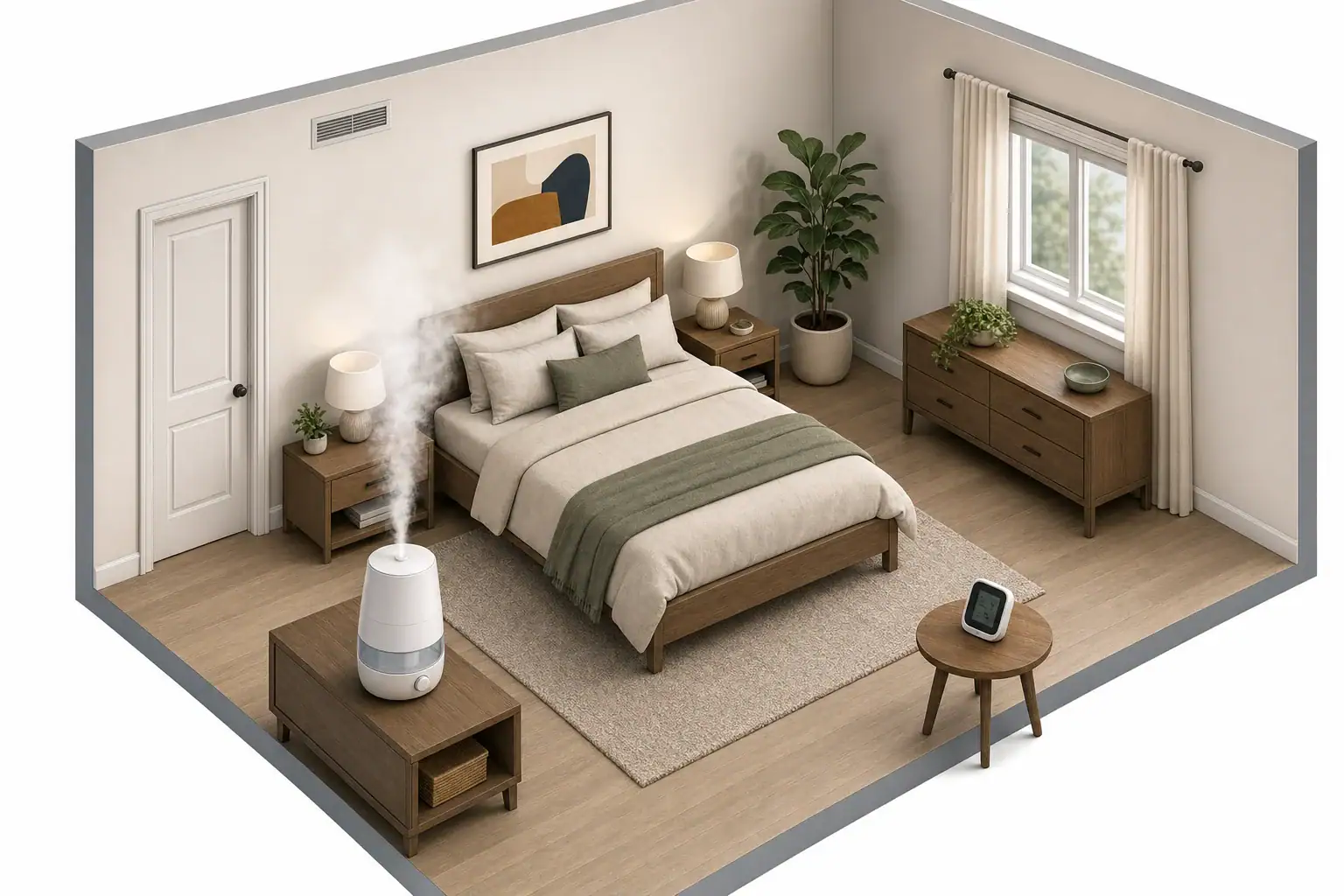
How long does a humidifier take to work in a room?
There is no dependable universal time. A room’s relative humidity (RH) rises only when the humidifier adds moisture faster than moisture is removed or redistributed through outdoor-air exchange, air leakage, HVAC operation, exhaust fans, and absorption by room materials.
Rather than expecting a particular number of minutes, check whether RH shows a repeatable upward trend while room conditions stay similar. This also separates a slow room response from a misleading meter location or a change in heating, cooling, or ventilation.
Manufacturer guidance is not interchangeable. For example, an AIRCARE evaporative console humidifier manual says an initial overall humidity increase can take approximately 48 hours and identifies outdoor temperature, building tightness, and fan setting as factors. That is guidance for that product and use case, not a timetable for every portable bedroom humidifier.
What changes humidifier response time?
| Factor | Likely effect on the RH reading |
|---|---|
| Starting RH and desired RH | Reaching a higher RH from a lower baseline generally requires more retained moisture. |
| Room volume and open doors | A larger room, hallway, or adjoining space increases the effective volume receiving the moisture and can slow the measured rise. |
| Humidifier setting and actual output | A higher setting provides more potential moisture input, but a rated maximum does not guarantee a particular room RH increase. |
| Heating, air conditioning, or exhaust fans | These can alter air movement, temperature, air exchange, and moisture removal during the test. |
| Outdoor conditions and air leakage | Incoming outdoor or unconditioned air can offset humidification or, in some conditions, add moisture. |
| Furnishings and building materials | Materials can initially take up some added moisture, leaving less immediately reflected in room air. |
| Hygrometer placement | A meter near the mist plume, a window, a door, or an HVAC draft can show a local reading rather than representative room conditions. |
Building-science research from the U.S. Department of Energy’s Building America program illustrates that infiltration, ventilation, outdoor conditions, building tightness, and air-conditioning runtime can interact to affect indoor moisture. The study does not test portable humidifiers, but it supports treating room conditions as part of the result.
How to test a humidifier with a hygrometer
- Establish a baseline. Place the hygrometer in its intended measurement location and allow it to stabilize. Record RH and temperature before starting the humidifier.
- Use a representative location. Keep the meter in free airflow, away from the direct mist plume, windows, exterior doors, HVAC vents, and damp surfaces. Keep it in the same location for the entire test.
- Hold practical conditions steady. Keep the humidifier setting, door and window positions, HVAC operation, and exhaust-fan use unchanged as far as practical.
- Record a series of readings. Write down RH and temperature at startup and after 30, 60, 120, and 240 minutes. Note the humidifier setting and whether the reservoir level has fallen.
- Interpret the trend, not one number. A repeated rise under similar conditions is more useful than one isolated reading. Temperature changes matter because RH is temperature-dependent.
- Use stop conditions. The U.S. Environmental Protection Agency recommends using a hygrometer, not exceeding 50% RH, and reducing output or use if condensation or dampness appears.
These intervals are a practical home diagnostic routine, not validated performance thresholds. A meter may not show a meaningful change at the first interval, and a flat result does not by itself prove that the humidifier has failed.
Worked example: a room test, not a promised completion time
Assumptions: Consider a 12-foot by 12-foot bedroom with an 8-foot ceiling: 1,152 cubic feet. The room starts at 70°F and 30% RH. The door and window remain closed, HVAC operation does not change, and the humidifier is assumed to have a maximum rated output of 220 milliliters per hour.
At that assumed maximum output, the unit could emit 880 milliliters over four hours (220 mL/h × 4 h). That arithmetic is not a prediction of the room’s RH after four hours. Actual output may differ from the rating, and the amount retained in room air depends on leakage, air exchange, HVAC operation, and moisture taken up by materials.
The useful result is the recorded RH and temperature sequence at baseline, 30, 60, 120, and 240 minutes. For estimating output needs before a test, use the separate humidifier output calculator; it cannot replace measurements in a specific room.
If humidity changes little or not at all
- Check the room boundary. An open door can make a hallway or adjacent rooms part of the effective space.
- Check the hygrometer location. Keep it away from mist, drafts, windows, doors, and exterior surfaces; then allow time for it to stabilize.
- Confirm the operating setting. A low mist or fan setting can produce less moisture than the unit’s maximum rating.
- Observe water use carefully. A falling reservoir shows water is leaving the tank, but it does not prove that the whole room is retaining enough moisture to raise the RH reading.
- Compare similar HVAC and exhaust conditions. Heating, cooling, ventilation, and bathroom or kitchen exhaust can change the result between tests.
- Consider outdoor air and leakage. Weather and air exchange can oppose the humidifier’s moisture input.
- Follow the product manual. Some humidifiers regulate operation according to room conditions. Use the manufacturer’s instructions for filters, mineral buildup, cleaning, and low-output checks.
If repeated tests under similar conditions remain flat, compare the hygrometer with a second meter in the same stable location before deciding that the humidifier is defective. For more detail on measurement location, see where to place an air quality monitor.
Bottom line
A humidifier does not have one reliable room-response time. Measure RH and temperature over several hours under stable conditions, and judge the unit by the trend. Reduce output or stop using it if condensation or dampness appears, and do not exceed 50% RH according to EPA guidance.
Related guides: Best Indoor Humidity Level to Prevent Mold • Humidifier Placement: Near Bed, Near Vent, or Center of Room? • Humidifier Safety: Bacteria Risk, Cleaning, and Safe Humidity Limits
Frequently asked questions
When should a hygrometer first show a change after starting a humidifier?
There is no reliable universal interval. Record RH and temperature before startup and at 30, 60, 120, and 240 minutes while keeping room conditions similar. Look for a consistent trend instead of treating one reading as a pass-or-fail result.
Why is the water level falling but the room humidity not rising?
Water leaving the reservoir does not show how much moisture the room retains. Air exchange, leakage, HVAC or exhaust operation, an open door, and moisture absorbed by room materials can offset the humidifier’s output.
Does an open door make a humidifier take longer to work?
It can. An open door may connect the room to a hallway or adjoining rooms, increasing the effective air volume that receives the humidifier’s output and making an RH rise in one measurement location slower or less obvious.
Should I turn off a humidifier if I see condensation?
Reduce the output or stop use if condensation or dampness appears. EPA guidance also says not to exceed 50% RH, so use a hygrometer rather than continuing toward an arbitrary run time.
Recommended next:
- Best Humidity Level for Winter: Comfort vs Health vs Mold Risk
- Ultrasonic vs Evaporative Humidifiers: Pros, Cons, and Which to Buy
- Humidifier White Dust: Causes, Health Concerns, and Fixes
- How to Clean a Humidifier Properly (And How Often You Really Should)
- Ideal Indoor Humidity in Winter: Comfort vs Mold Risk
- Humidifier Cleaning Routine: How to Prevent Slime and Odors
- Clear sizing logic (room size → CADR/ACH)
- HEPA vs carbon explained for real use-cases
- Humidity + ventilation basics to reduce mold risk