
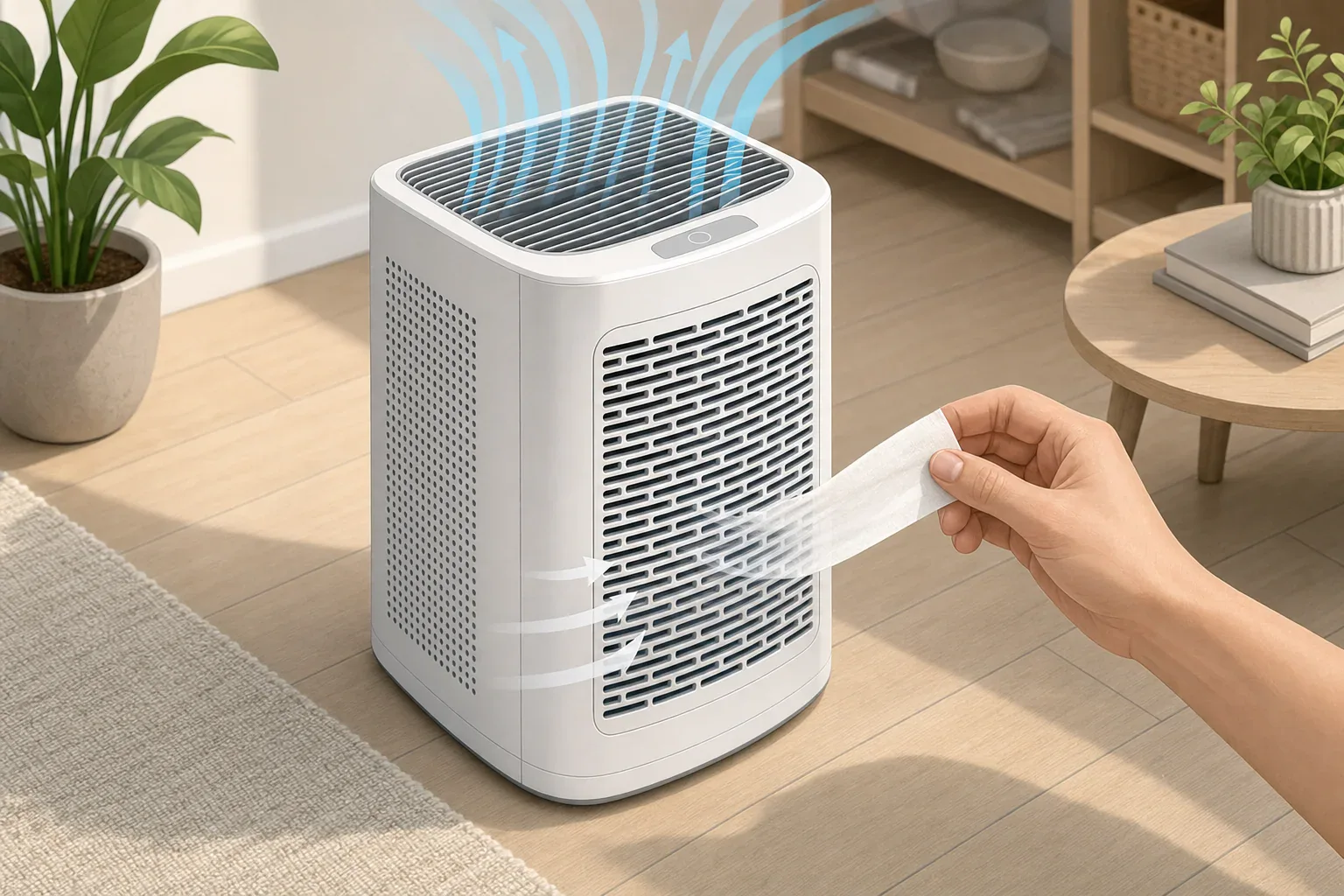
Quick answer: An air purifier intake is an exterior opening that draws room air inward; the outlet discharges air. Check molded labels and your model’s parts diagram first. If confirmation is needed, run the fully assembled unit and hold a narrow tissue strip near, never in, each grille: pull indicates intake; push indicates outlet.
How to identify an air purifier intake and outlet
The intake is where the purifier draws room air into the housing. The outlet is where it returns air to the room. Start with the model-specific evidence: molded labels on the housing and the parts diagram in the owner’s manual. Look for terms such as air inlet, intake, air outlet, or exhaust.
Housing shape can provide a useful starting clue, but it is not proof. A broad perforated surface may be an intake, while a more concentrated or louvered grille may be an outlet. Confirm the direction with the manual or an exterior tissue-strip check rather than assuming that every purifier of one shape uses the same path.
For example, the Levoit Core 300-P manual labels the perforated lower housing as the air inlet and the top as the air outlet. The Honeywell HPA080B/HPA180B manual, by contrast, labels a rear grille and air intake, with an air outlet grille on the opposite face. These are examples of their respective models, not a universal layout.
Airflow clues by housing style
| Housing style | Possible intake clue | Possible outlet clue | What to verify |
|---|---|---|---|
| Tower | A broad perforated panel on the rear, side, or lower housing | A grille on the opposite face or upper section | Do not assume all towers use rear-to-front airflow. |
| Cylindrical | Perforations around part of the lower or outer wall | An open grille at the top | Check whether the entire circumference draws air in; some designs may not. |
| Tabletop or compact | A broad grille on the back, bottom, or more than one face | A smaller, concentrated, or louvered grille | Shape alone can be especially ambiguous on compact units. |
| Front-to-back | A large grille on one face | A grille on the opposite face | Which face is intake varies by model. Confirm it before labeling front or rear. |
| Multiple-path design | More than one exterior area may pull air inward | More than one grille may discharge air | Test and record each opening separately. |
Multiple-path designs are a practical reason not to rely on a single visual rule. For example, Blueair’s DustMagnet airflow explanation describes top and bottom inlets with side outlets for that product line.
Safe, no-disassembly tissue-strip check
- Keep the purifier fully assembled and upright. Do not remove a cover, reach through a grille, or inspect internal parts.
- Inspect all exterior openings. Note any molded or printed labels first.
- Check the owner’s manual. Search the model’s manual for “inlet,” “intake,” “outlet,” “exhaust,” or “airflow.”
- Run the purifier at a steady fan setting. Use a higher available setting only if the normal setting gives no clear tissue movement.
- Hold a narrow tissue strip near one grille. Keep a firm grip on it. Keep it outside the opening and avoid pressing it against or substantially covering the grille.
- Read the movement. A strip drawn toward the grille indicates an intake; a strip pushed away indicates an outlet.
- Repeat at each separate grille or section. This matters for wraparound panels and multi-path designs.
- Use “unknown” when the result is unclear. Weak, mixed, or intermittent movement is not a reliable basis for guessing.
Do not insert, release, or tape tissue to an opening. The Honeywell owner’s manual safety instructions warn against inserting foreign objects into ventilation or exhaust openings and against blocking the intake or outlet. The same precaution makes the check a simple exterior observation rather than a repair or inspection procedure.
Make an exterior airflow map
Draw a quick top and side view of the unit. Label every visible grille with one of the following results:
| Mark | Tissue response | Conclusion |
|---|---|---|
| IN | Moves toward the grille | Intake |
| OUT | Moves away from the grille | Outlet |
| UNKNOWN | No clear, repeatable movement | Use the model manual; do not infer direction from shape alone. |
Hypothetical example: Assume a compact purifier has a perforated rear panel, slotted panels on both sides, and a top grille. With the purifier running steadily, the held tissue moves toward the rear and both side panels, but away from the top grille. Mark the rear and sides IN and the top OUT. This map describes only that observation; it does not establish that every compact purifier has the same airflow pattern.
What this check can and cannot tell you
The tissue check can identify the direction of air at an exterior opening. It cannot measure airflow rate, particle-removal efficiency, filter condition, or Clean Air Delivery Rate (CADR). AHAM explains in its portable air cleaner performance FAQ that CADR combines airflow rate with pollutant-removal efficiency. Visible tissue movement alone is therefore not a performance measurement.
The check also cannot determine filter orientation or diagnose an internal fan, motor, or control problem. If the observed exterior airflow conflicts with the model diagram, stop at the exterior inspection and follow the manufacturer’s instructions.
Related guides: Cleaning Air Purifier Sensors and Intakes: What Not to Do • AHAM CADR Ratings Explained: How to Compare Air Purifiers Fairly
Frequently asked questions
Can an air purifier have more than one intake or outlet?
Yes. A purifier can draw air through several exterior panels, discharge through several grilles, or both. Check each distinct opening separately instead of assuming there is one intake side and one outlet side.
What should I do if the tissue does not move clearly?
Mark that opening as unknown and check the model’s labeled parts diagram or instructions. Weak, mixed, or intermittent movement does not reliably identify airflow direction.
Does stronger tissue movement mean the purifier cleans air better?
No. Tissue movement shows airflow direction only. It does not measure airflow volume, filtration efficiency, pollutant removal, or CADR.
Summary
Use the model manual and housing labels first, then use exterior grille appearance as a clue and a firmly held tissue strip as confirmation. Record each opening as intake, outlet, or unknown, because one purifier may use several airflow paths.
Recommended next:
- Best Air Purifiers for Allergies: What to Look For (CADR, HEPA, Carbon)
- How to Choose the Right Air Purifier for Your Room Size
- Air Purifier Placement: Where to Put It for Best Results
- Do Air Purifiers Help With Smoke and Odors?
- Air Purifier Noise: What dB Levels Are Quiet Enough for Sleep?
- Best Air Purifiers for Pets: Dander, Odors, and Filter Costs
- Clear sizing logic (room size → CADR/ACH)
- HEPA vs carbon explained for real use-cases
- Humidity + ventilation basics to reduce mold risk