
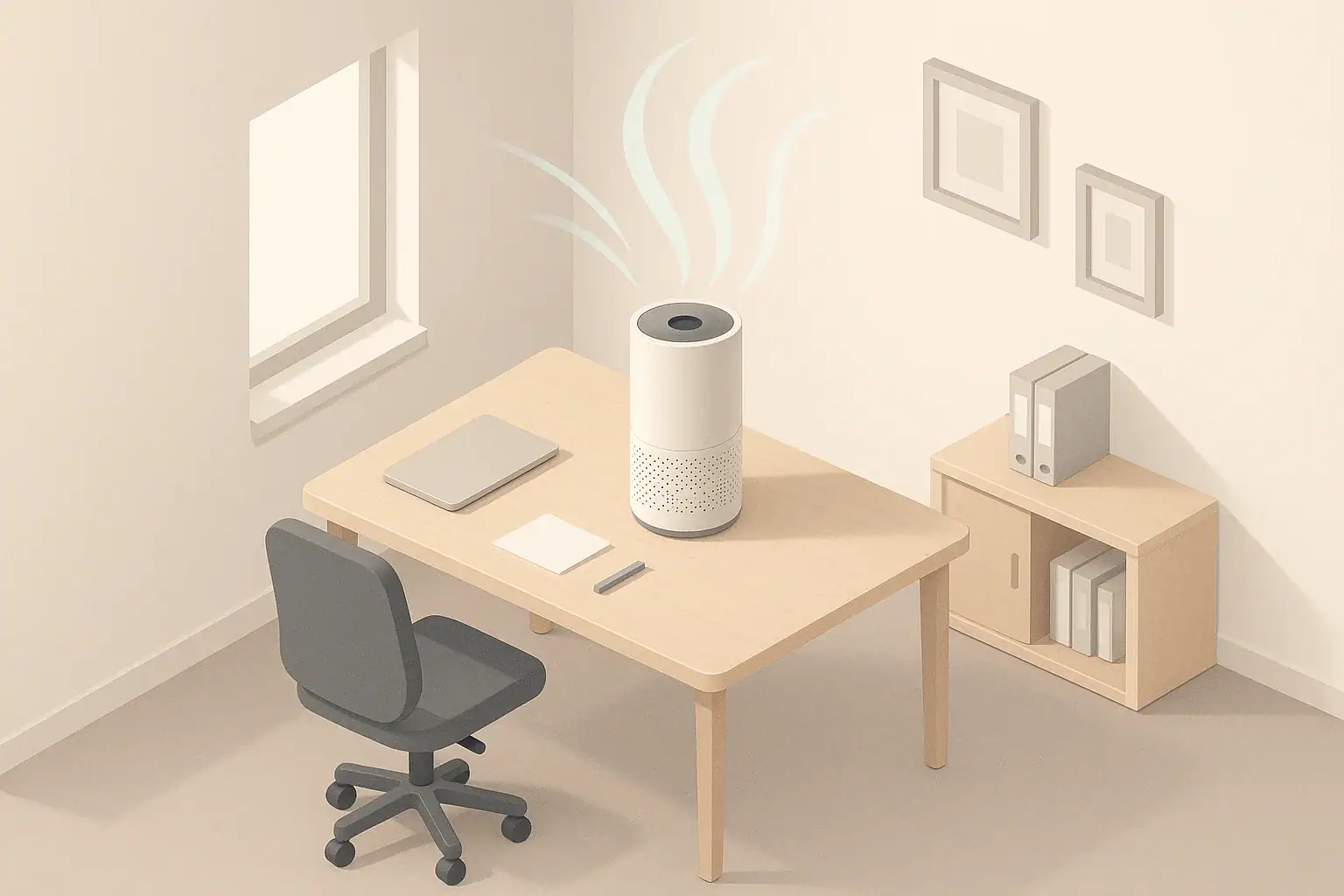
An air purifier for office desks can improve the air right around where you sit, but it usually cannot clean an entire office by itself. These compact units are best treated as personal or small-room air cleaners that supplement, not replace, a properly sized room purifier or building ventilation.
If you work in a cubicle, shared office, or small home office, a desk air purifier can reduce dust and fine particles in your breathing zone, especially when outdoor smoke or building dust is an issue. To get useful results, you need enough airflow (CADR), sensible placement, and realistic expectations about coverage. This guide explains how desk purifiers work, how to size them for small spaces, and how to avoid common mistakes that waste money or create noise without much benefit.
What Desk Air Purifiers Are and Why They Matter
Desk air purifiers are compact air cleaners designed to sit on a desk, shelf, or small side table near where you work. They use a fan to pull air through filters that capture particles such as dust, pollen, and smoke, and often include a small carbon layer for odors.
Because they are small, these purifiers move less air than full-size room units. That matters for two reasons:
- Coverage is limited: A small fan can only clean a modest volume of air, especially if you want several air changes per hour.
- Placement is critical: When the purifier sits close to you, both the benefits (cleaner local air) and the drawbacks (noise, drafts) are more noticeable.
For many people, the real value of a desk purifier is improving the immediate workspace when you cannot control the whole building. It can help with comfort during wildfire smoke, dusty renovation work elsewhere in the building, or in older offices with limited filtration, as long as you understand that it is a local tool, not a whole-building solution.
Key Concepts: CADR, Small-Room Coverage, and Filters
To choose and use an air purifier for office desks effectively, it helps to understand three basic ideas: Clean Air Delivery Rate (CADR), air changes per hour (ACH), and filter types.
CADR and ACH basics
- CADR (Clean Air Delivery Rate) is a measure of how quickly a purifier removes particles from the air, usually in cubic feet per minute (cfm).
- ACH (air changes per hour) describes how many times per hour the purifier can theoretically clean the volume of a room.
A simple planning shortcut is:
CADR (cfm) ≈ Room volume (ft³) × Target ACH ÷ 60
Room volume is length × width × ceiling height. For small offices and desk areas, many people aim for a moderate ACH for comfort, recognizing that higher ACH gives faster particle reduction but needs more airflow and more noise.
| Room type | Approx. size (ft) |
Approx. volume (ft³, 8 ft ceiling) |
Example target ACH | Approx. CADR needed (cfm) |
|---|---|---|---|---|
| Very small nook | 8 × 10 | 640 | 3 ACH (light use) | 640 × 3 ÷ 60 ≈ 32 cfm |
| Small home office | 10 × 10 | 800 | 4 ACH (more coverage) | 800 × 4 ÷ 60 ≈ 53 cfm |
| Private office | 10 × 12 | 960 | 5 ACH (faster cleanup) | 960 × 5 ÷ 60 ≈ 80 cfm |
| Shared office | 12 × 15 | 1,440 | 5 ACH (several occupants) | 1,440 × 5 ÷ 60 ≈ 120 cfm |
| Open-plan zone | 20 × 20 section | 3,200 | 4 ACH per zone | 3,200 × 4 ÷ 60 ≈ 213 cfm |
Many desk purifiers have CADR values well below what you would want for a larger shared office, but they can be suitable for a very small office or as a personal supplement.
Filter types in desk purifiers
- Particle filter (HEPA-style): Captures fine particles such as dust, smoke, and pollen. Wording like “HEPA,” “H13,” or “HEPA-type” may appear, but overall design and sealing matter as much as the label.
- Pre-filter: A coarse layer that catches hair and larger dust, helping the main filter last longer.
- Carbon or adsorbent layer: Helps with light odors from food, office materials, or mild cleaning products, but capacity is usually limited in small desk units.
For most office desks, a mechanically filtered unit with a decent particle filter and a basic carbon layer is the main workhorse. Any additional features are secondary to airflow and filter quality.
Real-World Desk and Small-Office Scenarios
Looking at typical office layouts makes it easier to see what a desk air purifier can realistically do.
Scenario 1: Small home office (about 100 ft²)
- Room: 10 × 10 ft, 8 ft ceiling (about 800 ft³).
- Use: One person, door often closed, occasional video calls.
- Goal: Reduce dust and wildfire smoke that seeps indoors.
If you target around 4 ACH for comfort, you would want roughly 50–60 cfm of CADR. A stronger desk unit or a compact floor unit placed near the desk can reasonably handle the whole room, especially if you keep the door mostly closed and run the purifier on a medium or higher speed during the day.
Scenario 2: Cubicle in a large open-plan office
- Space: Open floor with many desks; your cubicle is only a section of a much larger volume.
- Use: Multiple coworkers nearby, shared ventilation system, some printer and copier use.
- Goal: Improve personal breathing zone without changing the whole floor.
In this case, a desk purifier is mainly a local tool. It can help reduce particles in the air directly around your head and torso if positioned so that the clean air stream passes through your breathing zone. It will not noticeably change the air quality across the entire open office because the total volume is far larger than what a small fan can handle.
Scenario 3: Private office (about 120 ft²) with visitors
- Room: 10 × 12 ft, 8 ft ceiling (about 960 ft³).
- Use: One main occupant, plus 1–2 visitors for short meetings.
- Goal: General comfort and faster cleanup of particles after busy periods.
A modest desk or small floor unit may provide some whole-room benefit if CADR is high enough and the door is not constantly open. You might run the purifier on higher speed before and after meetings to help reduce particle buildup, then keep it on a quieter setting while you work. For frequent, longer meetings, a larger room unit will usually be more appropriate.
Scenario 4: Shared office (about 200 ft²) with several desks
- Room: 10 × 20 ft, 8 ft ceiling (about 1,600 ft³).
- Use: Three or four people working most of the day.
- Goal: Better overall air quality plus personal comfort at each desk.
One small desk purifier is unlikely to provide meaningful whole-room air cleaning here. Instead, it can be used as a personal supplement while a larger, higher-CADR purifier serves the room, and the building ventilation handles fresh air exchange.
Common Mistakes and Troubleshooting Desk Purifiers
Even a well-chosen air purifier for office desks can underperform if used incorrectly. Many issues come down to placement, expectations, and maintenance.
Frequent mistakes to avoid
- Overestimating coverage: Assuming a palm-sized purifier can handle a full open-plan office or large conference room.
- Blocking airflow: Placing the unit behind monitors, under piles of paper, or against a wall so the intake and outlet are partially covered.
- Running only on the lowest speed: Using a quiet but weak setting all the time, even during high-pollution events, which keeps effective CADR low.
- Ignoring filter changes: Letting filters clog until airflow drops and the purifier is mostly just making noise.
- Using the wrong tool for the job: Expecting a purifier to fix stale air from poor ventilation or to reduce carbon dioxide levels.
Troubleshooting cues
If you suspect your desk purifier is not helping much, look for simple signs:
- Very little air movement at the outlet, even on higher speeds.
- Noticeable dust buildup on surfaces despite long run times.
- Unchanged readings on a basic particle monitor when you turn the unit on and off in a small room.
- Filters visibly gray or dirty and well past the suggested replacement window.
| Observed issue | Likely cause | Simple adjustment to try |
|---|---|---|
| Little improvement in air over several hours | CADR too low for room size or blocked airflow | Move unit to a more open spot and run on higher speed; consider a higher-capacity purifier for the room |
| Noticeable fan noise but weak airflow | Clogged filters or obstructed intake | Check and clean pre-filter, replace main filter, clear at least a few inches of space around all sides |
| Draft or cool air blowing directly on face | Outlet aimed straight at user at close range | Shift purifier to a side table or floor near the desk so air mixes in the room before reaching you |
| Odors linger despite purifier running | Thin carbon layer saturated or odor source not controlled | Reduce odor sources, improve ventilation, and replace carbon filter if available |
| Unit feels too loud to use at work | High speed needed for coverage at close distance | Run higher speed when away from desk, then use medium or low while working and increase distance from ears |
Addressing these basics often restores most of the performance you can reasonably expect from a desk-sized purifier.
Safety Basics for Desk Air Purifiers
Desk purifiers are generally low-risk appliances, but a few safety points are worth keeping in mind, especially when they run for many hours near where you sit.
Ozone and reactive technologies
- Mechanical filtration (HEPA-style and carbon) is typically preferred for offices and home workspaces.
- Devices that intentionally generate significant ozone are not appropriate for normal occupied offices, because ozone is a respiratory irritant.
- Some units include ionizers or similar features; these are often designed to keep ozone production low, but mechanical filters should still be the primary air-cleaning method.
Electrical and placement safety
- Plug the purifier directly into a suitable outlet rather than overloading power strips with many high-draw devices.
- Keep the intake and outlet clear of paper, fabric, and other materials that could restrict airflow or overheat the unit.
- Avoid placing the purifier where it can easily be knocked off a desk or where cords create a tripping hazard.
Use around sensitive occupants
- For people sensitive to noise, start on lower speeds and increase gradually to find a tolerable balance.
- If anyone experiences irritation when a new purifier is first used, check for off-gassing odors from new plastics and filters; running the unit in a separate space for a short break-in period can help.
Following the basic instructions that come with the device, combined with common-sense placement and electrical practices, is usually sufficient for safe everyday use at a desk.
Maintenance and Long-Term Use at the Desk
To keep a desk air purifier performing close to its rated CADR, you need simple but consistent maintenance. Over time, dust and particles clog filters and reduce airflow, even if the fan speed setting has not changed.
Filter care and replacement
- Pre-filter: Check every few weeks in dusty environments. Gently vacuum or wipe as recommended to remove visible dust, which helps protect the main filter.
- Main particle filter: Replace on the approximate schedule suggested for similar use (often every several months to a year, depending on pollution levels and run time).
- Carbon layer: Odor control usually fades before airflow drops; if you notice more odors despite the purifier running, the carbon may be saturated and ready for replacement.
Run-time habits
- For steady benefits, many people leave desk purifiers running whenever they are in the office, and sometimes for a short period before and after work.
- During high-pollution events (such as wildfire smoke days), running on a higher speed for part of the day can help clear particles more quickly.
- Between events, a lower continuous speed may be enough for maintenance-level cleaning in a small room.
Storage between seasons
- If you only use the purifier during certain seasons, store it in a dry, clean area away from moisture and pests.
- Remove heavily used filters before long-term storage; install new filters at the start of the next season for best performance.
- Before restarting after storage, check the fan inlet and outlet for dust and gently clean as needed.
These simple habits help maintain airflow, keep noise levels stable, and extend the useful life of both the purifier and its filters.
Practical Takeaways and Specs to Look For
When you put everything together, an air purifier for office desks is most effective when it is sized appropriately, placed intelligently, and maintained regularly. It is a practical tool for improving the air in your immediate workspace, especially in small offices or cubicles, but it should not be expected to fix building-wide ventilation or large open spaces on its own.
Key takeaways for desk and small-office use
- Match purifier capacity to your actual room volume and desired ACH; tiny units are best for very small spaces or personal zones.
- Place the purifier where it can draw and exhaust air freely, ideally slightly away from your ears but close enough to influence your breathing zone.
- Use higher speeds strategically when you are away or during high-pollution periods, and quieter speeds when you are working nearby.
- Remember that filtration does not replace fresh-air ventilation or humidity control; it is one part of overall indoor air quality.
- Stay on top of filter maintenance so the purifier does not gradually turn into a low-airflow, high-noise desk accessory.
Specs to look for in a desk air purifier
- CADR suitable for your space: Use room volume and a reasonable ACH target to estimate the airflow you need; for many small offices, this is often in the tens, not single digits, of cfm.
- Clear particle filter description: Look for a HEPA-style filter with good sealing and a separate pre-filter for larger dust.
- Carbon or odor layer: Helpful for light office odors, with the understanding that thin pads have limited capacity.
- Noise levels at working distance: Consider whether the stated noise on low and medium speeds will be acceptable when the unit sits a few feet from your ears.
- Multiple fan speeds: Allows you to run higher for quick cleanups and lower for everyday quiet operation.
- Filter availability and cost: Replacement filters should be easy to obtain and reasonably priced relative to how often you expect to change them.
- Compact but not cramped design: Small enough to fit your desk or side table, but with visible space for air intake and outlet so airflow is not overly restricted.
Using these criteria, you can choose a desk air purifier that fits your office, set realistic expectations about what it can do, and get consistent benefits from cleaner air in the space where you spend much of your workday.
Frequently asked questions
What specs and features matter most when choosing an air purifier for office desks?
For desk use, prioritize CADR relative to your room volume, a true mechanical particle filter (HEPA-style) with good sealing, noise levels at typical working distance, and multiple fan speeds. Also check filter availability and cost, plus whether a carbon layer is included for odors if you expect them. Compact size and unobstructed intake/outlet space are practical design considerations.
How close should I place a desk air purifier to effectively clean my breathing zone?
Position the purifier a few feet from where you sit so its cleaned air passes through your breathing zone without blasting directly at your face. Avoid placing it behind monitors or blocked by clutter; slightly elevated or on a side table near the desk often gives good local coverage. Good placement helps balance effectiveness with noise and drafts.
Can a desk purifier help during wildfire smoke events in an office?
Yes, a desk purifier with adequate CADR and a HEPA-style filter can reduce fine particles from wildfire smoke in a small, enclosed office or in your immediate breathing zone. For larger rooms, higher CADR or a larger room unit will be more effective; also keep doors and windows closed and consider building ventilation status. Run at higher speeds during heavy smoke and maintain filters to preserve airflow.
What is a common mistake that reduces a desk purifier’s effectiveness?
A frequent mistake is blocking the unit’s intake or outlet (for example, placing it behind monitors or piles of paper) or expecting a small purifier to clean a large open-plan office. Both reduce effective CADR and airflow where you need it. Ensure clear space around the unit and match capacity to the actual room volume.
Are ionizers or ozone-generating purifiers safe to use at a desk?
Mechanical filtration (HEPA-style) and carbon are generally preferred for occupied offices because ozone can irritate the respiratory system. Devices that intentionally generate significant ozone are not appropriate for normal occupied spaces; some ionizers produce little ozone but should not replace mechanical filters. If safety is a concern, choose units that prioritize sealed particle filtration.
How often should I change filters in a desk air purifier?
Filter replacement depends on run time and pollution levels, but many main particle filters are replaced every several months to a year under typical use, while pre-filters may be checked and cleaned every few weeks. Replace or refresh carbon layers when odors persist despite operation. Follow the manufacturer’s guidance and monitor airflow and visible filter loading to decide timing.
- Clear sizing logic (room size → CADR/ACH)
- HEPA vs carbon explained for real use-cases
- Humidity + ventilation basics to reduce mold risk